> ## Documentation Index
> Fetch the complete documentation index at: https://docs.onyx.app/llms.txt
> Use this file to discover all available pages before exploring further.
# OpenAPI
> Configure custom actions in Onyx with OpenAPI
You can create custom actions in Onyx using an OpenAPI 3.0 or 3.1 specification of an API.
This enables your AI agents to interact with REST APIs and trigger workflows in external systems.
Include only the endpoints you want your agent to call in the OpenAPI spec.
Remove any endpoints you don't want the agent to access.
## Setting Up Custom Actions
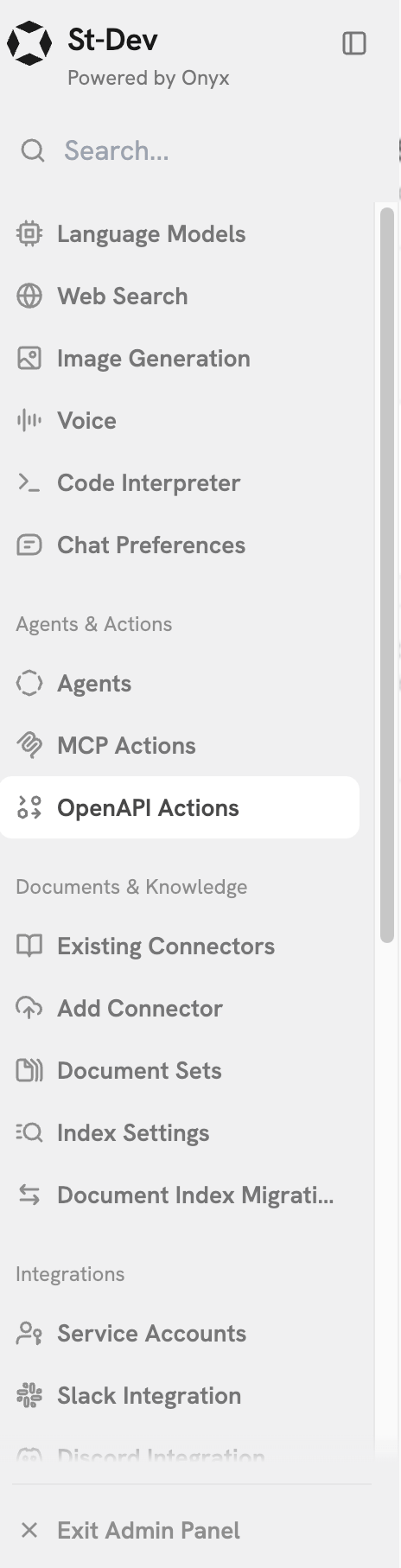
Click your user profile icon and select **Admin Panel**, then click the **OpenAPI Actions** tab in the sidebar.
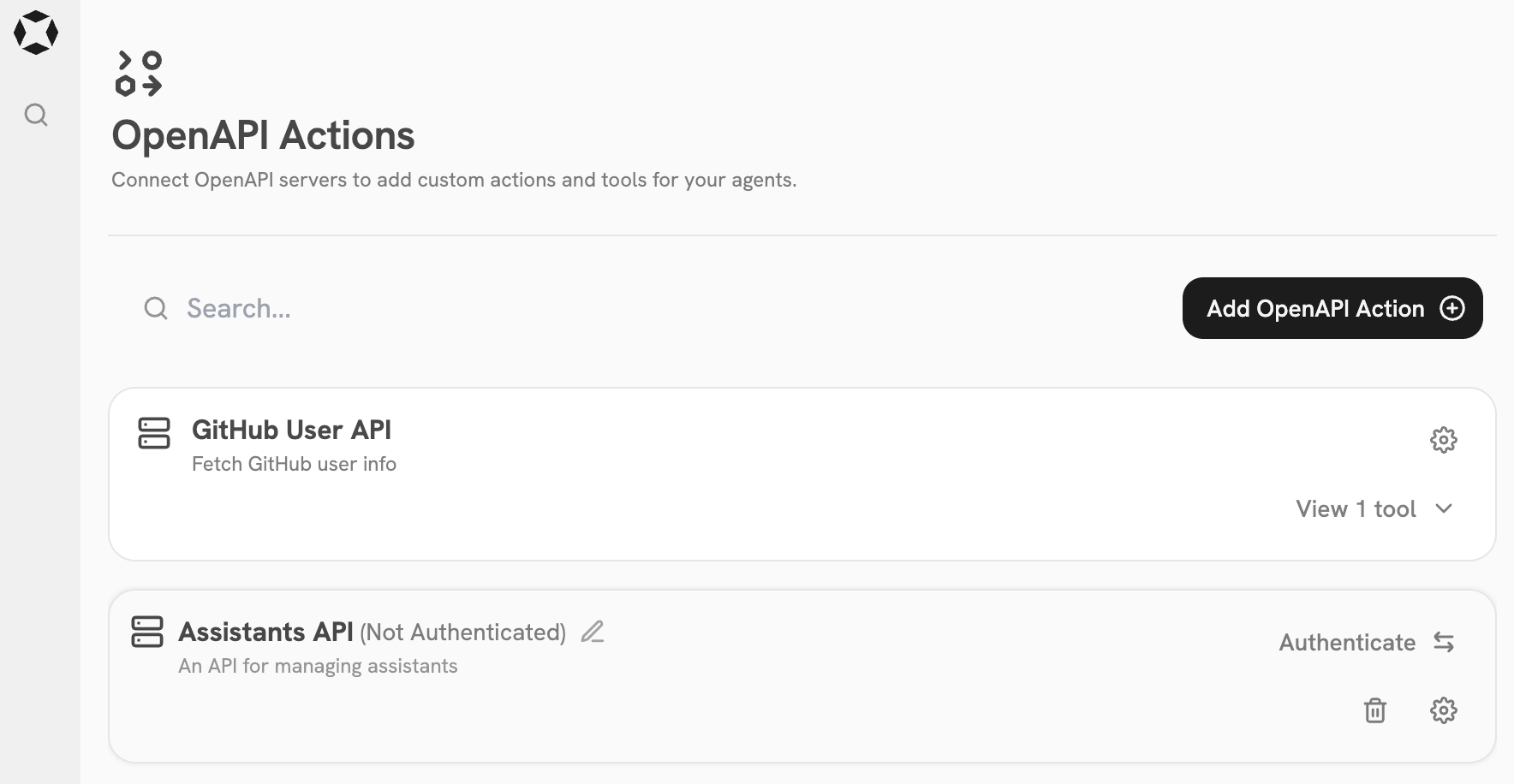
Click the **Add OpenAPI Action** button.
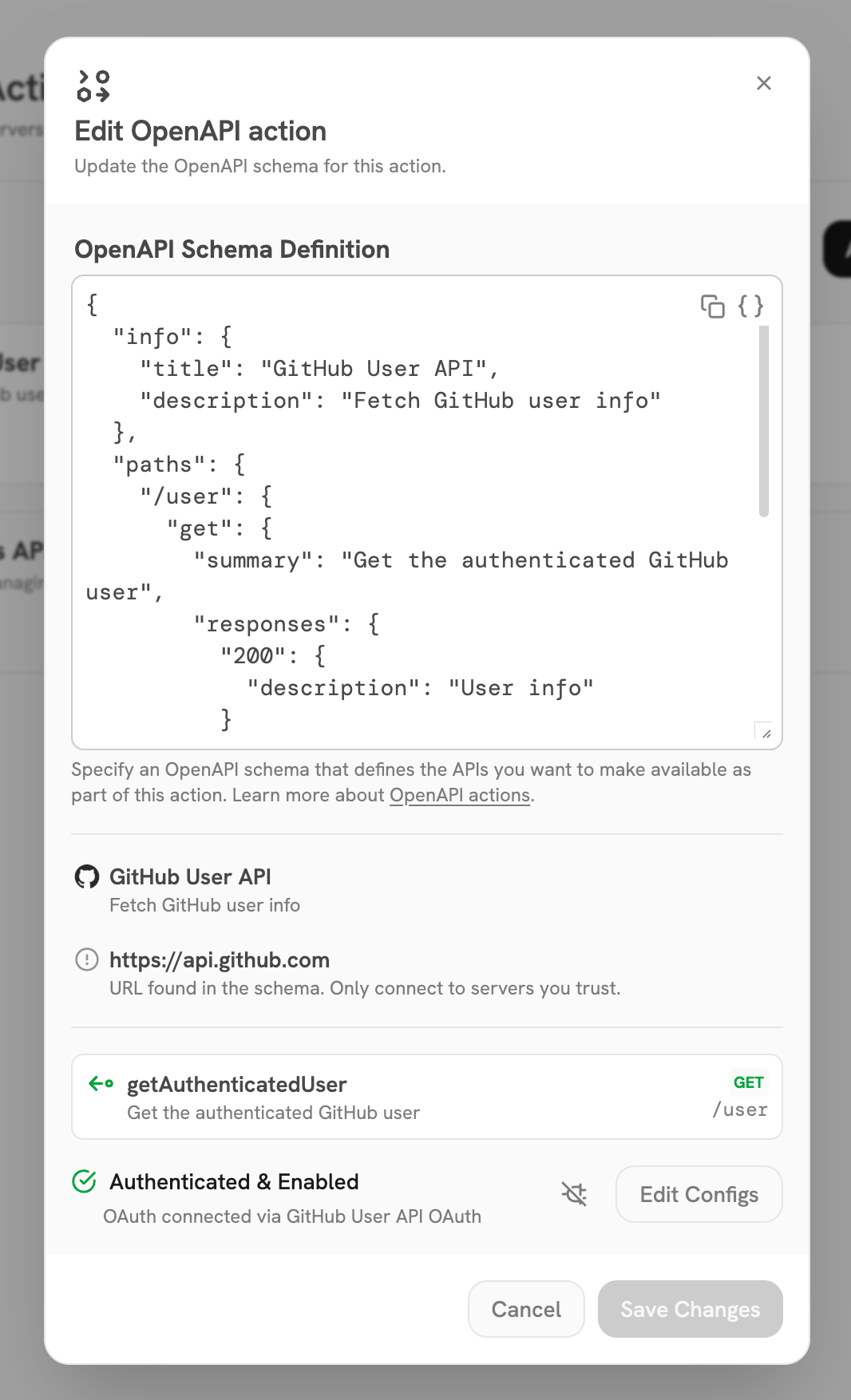
Paste your OpenAPI spec and configure any required authentication or headers.
 ## Example
The below OpenAPI spec can be used to create a Custom Action for fetching and creating Agents in Onyx.
```json OpenAPI expandable theme={null}
{
"openapi": "3.1.0",
"info": {
"title": "Agents API",
"version": "1.0.0",
"description": "Minimal OpenAPI schema for creating and fetching agents in Onyx"
},
"servers": [
{
"url": "https://cloud.onyx.app/api"
}
],
"paths": {
"/persona": {
"post": {
"summary": "Create Agent (Persona)",
"operationId": "create_persona",
"requestBody": {
"required": true,
"content": {
"application/json": {
"schema": {
"type": "object",
"properties": {
"name": { "type": "string" },
"description": { "type": "string" },
"document_set_ids": {
"type": "array",
"items": { "type": "integer" }
},
"num_chunks": { "type": "number" },
"is_public": { "type": "boolean" },
"recency_bias": {
"type": "string",
"enum": ["favor_recent", "base_decay", "no_decay", "auto"]
},
"llm_filter_extraction": { "type": "boolean" },
"llm_relevance_filter": { "type": "boolean" },
"tool_ids": {
"type": "array",
"items": { "type": "integer" }
},
"system_prompt": { "type": "string" },
"task_prompt": { "type": "string" },
"datetime_aware": { "type": "boolean" }
},
"required": [
"name",
"description",
"document_set_ids",
"num_chunks",
"is_public",
"recency_bias",
"llm_filter_extraction",
"llm_relevance_filter",
"tool_ids",
"system_prompt",
"task_prompt",
"datetime_aware"
]
}
}
}
},
"responses": {
"200": { "description": "Created" }
}
}
},
"/persona/{persona_id}": {
"get": {
"summary": "Get Agent (Persona) By ID",
"operationId": "get_persona",
"parameters": [
{
"name": "persona_id",
"in": "path",
"required": true,
"schema": { "type": "integer" }
}
],
"responses": {
"200": { "description": "OK" }
}
}
}
}
}
```
## Example
The below OpenAPI spec can be used to create a Custom Action for fetching and creating Agents in Onyx.
```json OpenAPI expandable theme={null}
{
"openapi": "3.1.0",
"info": {
"title": "Agents API",
"version": "1.0.0",
"description": "Minimal OpenAPI schema for creating and fetching agents in Onyx"
},
"servers": [
{
"url": "https://cloud.onyx.app/api"
}
],
"paths": {
"/persona": {
"post": {
"summary": "Create Agent (Persona)",
"operationId": "create_persona",
"requestBody": {
"required": true,
"content": {
"application/json": {
"schema": {
"type": "object",
"properties": {
"name": { "type": "string" },
"description": { "type": "string" },
"document_set_ids": {
"type": "array",
"items": { "type": "integer" }
},
"num_chunks": { "type": "number" },
"is_public": { "type": "boolean" },
"recency_bias": {
"type": "string",
"enum": ["favor_recent", "base_decay", "no_decay", "auto"]
},
"llm_filter_extraction": { "type": "boolean" },
"llm_relevance_filter": { "type": "boolean" },
"tool_ids": {
"type": "array",
"items": { "type": "integer" }
},
"system_prompt": { "type": "string" },
"task_prompt": { "type": "string" },
"datetime_aware": { "type": "boolean" }
},
"required": [
"name",
"description",
"document_set_ids",
"num_chunks",
"is_public",
"recency_bias",
"llm_filter_extraction",
"llm_relevance_filter",
"tool_ids",
"system_prompt",
"task_prompt",
"datetime_aware"
]
}
}
}
},
"responses": {
"200": { "description": "Created" }
}
}
},
"/persona/{persona_id}": {
"get": {
"summary": "Get Agent (Persona) By ID",
"operationId": "get_persona",
"parameters": [
{
"name": "persona_id",
"in": "path",
"required": true,
"schema": { "type": "integer" }
}
],
"responses": {
"200": { "description": "OK" }
}
}
}
}
}
```