> ## Documentation Index
> Fetch the complete documentation index at: https://docs.onyx.app/llms.txt
> Use this file to discover all available pages before exploring further.
# White Labeling
> Customize Onyx's branding and appearance
White labeling allows you to customize Onyx's appearance to match your organization's identity.
These settings are found in the **Admin Panel** under **Appearance & Theming**.
White labeling is an [Enterprise Edition](/deployment/miscellaneous/enterprise_edition) feature.
## White Labeling Options
### Logo and Name
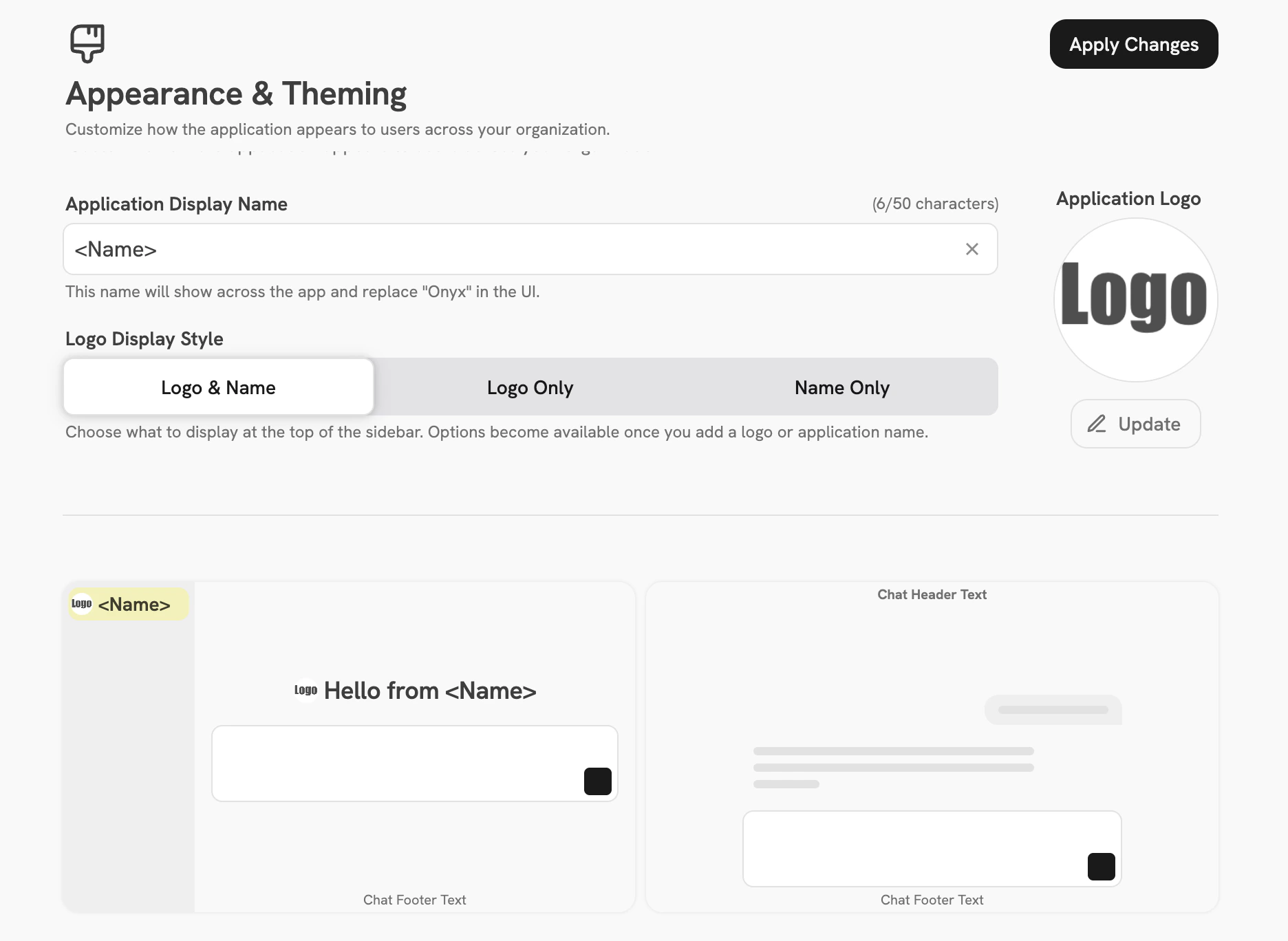
You can customize the logo, the application name, or both independently:
* **Custom Logo** — upload an image to replace the default Onyx logo shown in the top left corner and on the login page
* **Application Name** — set a custom name displayed alongside or in place of the logo
 ### Messaging
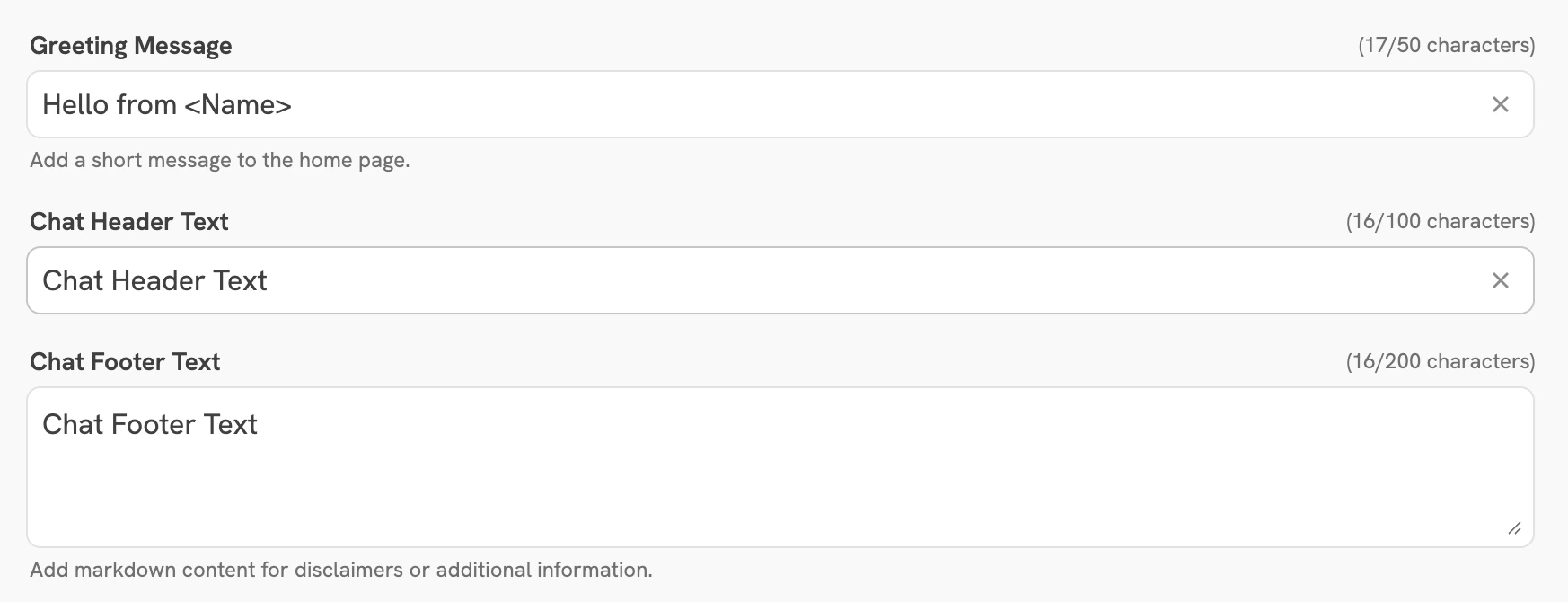
Customize the text shown throughout the chat interface:
* **Greeting Message** — shown to users when they start a new chat session
* **Chat Header Text** — displayed in the header of the chat interface
* **Chat Footer Text** — displayed in the footer of the chat interface
### Messaging
Customize the text shown throughout the chat interface:
* **Greeting Message** — shown to users when they start a new chat session
* **Chat Header Text** — displayed in the header of the chat interface
* **Chat Footer Text** — displayed in the footer of the chat interface
 ### First Visit Notice
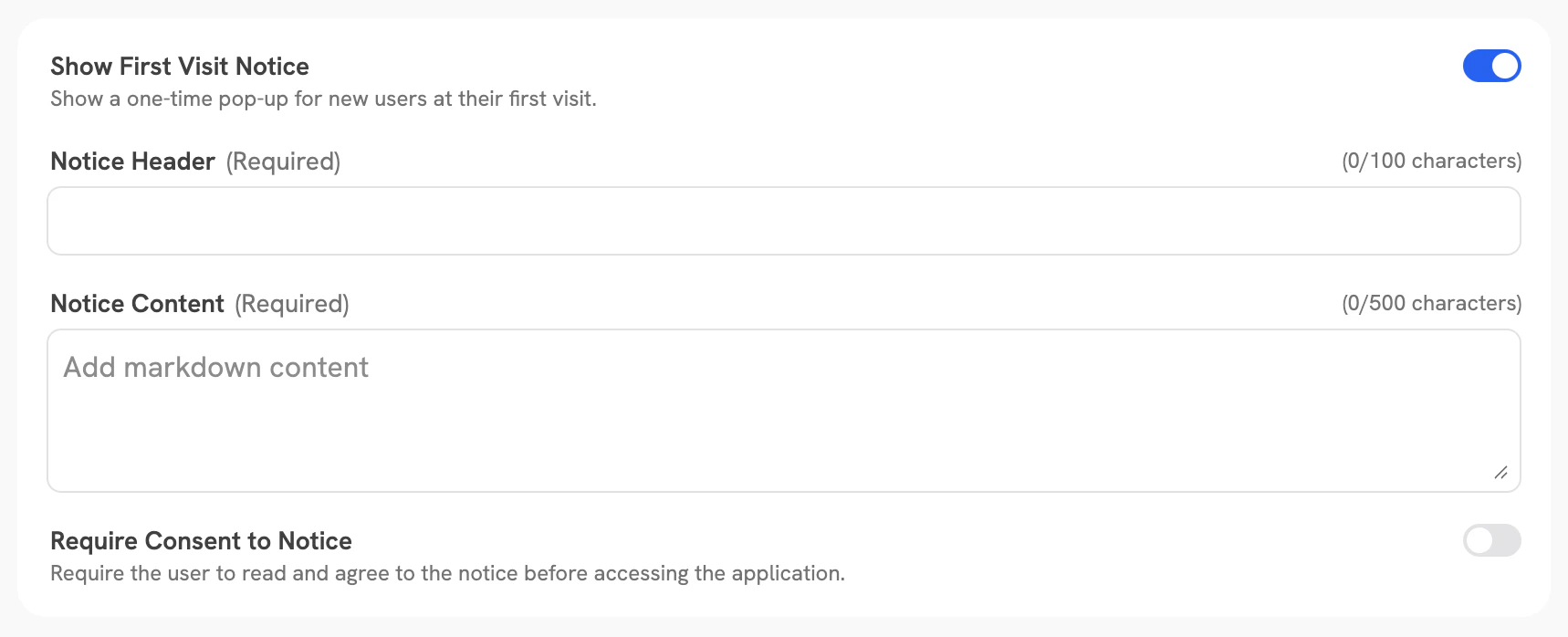
Configure a notice shown to users the first time they access Onyx. The notice has the following options:
| Option | Description |
| ------------------- | --------------------------------------------------------------------------- |
| **Show Notice** | Toggle to enable or disable the first visit notice |
| **Notice Header** | Title text displayed at the top of the notice |
| **Notice Content** | Body text of the notice |
| **Require Consent** | When enabled, users must acknowledge the notice before they can access Onyx |
### First Visit Notice
Configure a notice shown to users the first time they access Onyx. The notice has the following options:
| Option | Description |
| ------------------- | --------------------------------------------------------------------------- |
| **Show Notice** | Toggle to enable or disable the first visit notice |
| **Notice Header** | Title text displayed at the top of the notice |
| **Notice Content** | Body text of the notice |
| **Require Consent** | When enabled, users must acknowledge the notice before they can access Onyx |