> ## Documentation Index
> Fetch the complete documentation index at: https://docs.onyx.app/llms.txt
> Use this file to discover all available pages before exploring further.
# Overview
> Configure language model providers and models in Onyx
Use this page to configure the language models available for chat, agents, and other text-based workflows in Onyx.
Image generation and voice are configured separately in [Image Generation](/admins/actions/image_generation)
and [Voice Mode](/admins/actions/voice_mode).
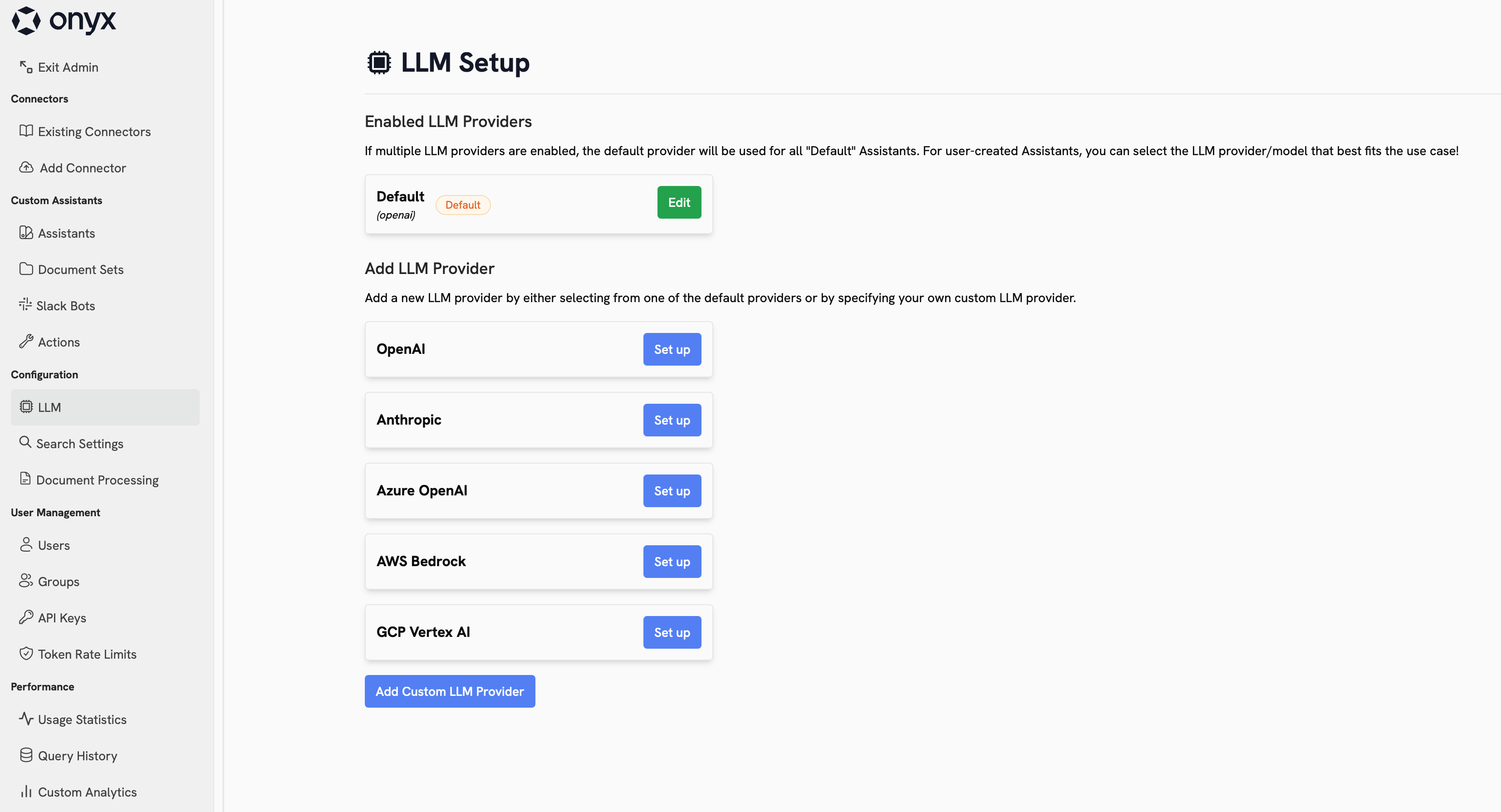
## Language Models
Navigate to **Admin Panel → Language Models** to choose which providers your workspace can use,
which models are visible, and which models should be the default or fast option in Onyx.
 ### Provider Types
These providers give you direct access to a model vendor's hosted API.
Common choices include **OpenAI** and **Anthropic**.
This is usually the simplest setup when you want fast access to the provider's latest flagship models.
These providers expose language models through a broader cloud or routing layer.
Common choices include **Azure OpenAI**, **Amazon Bedrock**, **Google Vertex AI**, **OpenRouter**,
**LiteLLM Proxy**, and **Bifrost**. They are useful when you need enterprise controls, cloud alignment,
regional hosting options, or access to multiple model families from one integration point.
These options let you run open-weight models on your own infrastructure or local hardware.
Onyx includes built-in integrations for [Ollama](/admins/ai_models/ollama)
and [LM Studio](/admins/ai_models/lm_studio). This is a good fit when your team needs local development workflows,
tighter data residency, or lower per-token costs.
If your provider is not listed directly, you can still connect it through an OpenAI-compatible API.
This covers custom gateways, hosted inference endpoints,
and internal model platforms that expose an OpenAI-style `/chat/completions` or `/models` interface.
### Choosing a Good Starting Setup
If cloud-hosted models are approved for your organization,
they are usually the best default choice because they are easier to operate and generally provide the best
capability-to-cost tradeoff.
* Start with one primary provider for most users.
* Use a recent **GPT**, **Claude**,
or **Gemini** family model as your default if you want the strongest out-of-the-box experience.
* Use **Bedrock**, **Vertex AI**, **Azure OpenAI**, **OpenRouter**, **LiteLLM Proxy**, or **Bifrost** when procurement,
routing, or cloud alignment matters more than a direct vendor integration.
* Use open-weight families such as **Llama**, **Qwen**, **DeepSeek**, or **gpt-oss** if you are self-hosting.
* Keep the visible model list short so users are choosing between a few intentional options instead of every possible
version.
Self-hosting is best for advanced teams that already know which models they want to run and how they will operate
them.
## Configure Your Providers
## Best Practices
* Review the terms, privacy posture, and data processing terms of every provider you enable.
* Limit the visible model list to the models you actually want users to choose from.
* Use private providers and access controls for costly, experimental, or team-specific models.
* Decide on a default model at the organization level before rolling the page out broadly.
* Make sure internal guidance is clear about what data users can send to each provider.
### Provider Types
These providers give you direct access to a model vendor's hosted API.
Common choices include **OpenAI** and **Anthropic**.
This is usually the simplest setup when you want fast access to the provider's latest flagship models.
These providers expose language models through a broader cloud or routing layer.
Common choices include **Azure OpenAI**, **Amazon Bedrock**, **Google Vertex AI**, **OpenRouter**,
**LiteLLM Proxy**, and **Bifrost**. They are useful when you need enterprise controls, cloud alignment,
regional hosting options, or access to multiple model families from one integration point.
These options let you run open-weight models on your own infrastructure or local hardware.
Onyx includes built-in integrations for [Ollama](/admins/ai_models/ollama)
and [LM Studio](/admins/ai_models/lm_studio). This is a good fit when your team needs local development workflows,
tighter data residency, or lower per-token costs.
If your provider is not listed directly, you can still connect it through an OpenAI-compatible API.
This covers custom gateways, hosted inference endpoints,
and internal model platforms that expose an OpenAI-style `/chat/completions` or `/models` interface.
### Choosing a Good Starting Setup
If cloud-hosted models are approved for your organization,
they are usually the best default choice because they are easier to operate and generally provide the best
capability-to-cost tradeoff.
* Start with one primary provider for most users.
* Use a recent **GPT**, **Claude**,
or **Gemini** family model as your default if you want the strongest out-of-the-box experience.
* Use **Bedrock**, **Vertex AI**, **Azure OpenAI**, **OpenRouter**, **LiteLLM Proxy**, or **Bifrost** when procurement,
routing, or cloud alignment matters more than a direct vendor integration.
* Use open-weight families such as **Llama**, **Qwen**, **DeepSeek**, or **gpt-oss** if you are self-hosting.
* Keep the visible model list short so users are choosing between a few intentional options instead of every possible
version.
Self-hosting is best for advanced teams that already know which models they want to run and how they will operate
them.
## Configure Your Providers
## Best Practices
* Review the terms, privacy posture, and data processing terms of every provider you enable.
* Limit the visible model list to the models you actually want users to choose from.
* Use private providers and access controls for costly, experimental, or team-specific models.
* Decide on a default model at the organization level before rolling the page out broadly.
* Make sure internal guidance is clear about what data users can send to each provider.