> ## Documentation Index
> Fetch the complete documentation index at: https://docs.onyx.app/llms.txt
> Use this file to discover all available pages before exploring further.
# Query History
> View and export query history in Onyx
**Enterprise Edition Feature**
This feature requires an Enterprise plan. [View plans](/admins/billing/overview)
or [contact sales](https://onyx.app/contact-sales) to learn more.
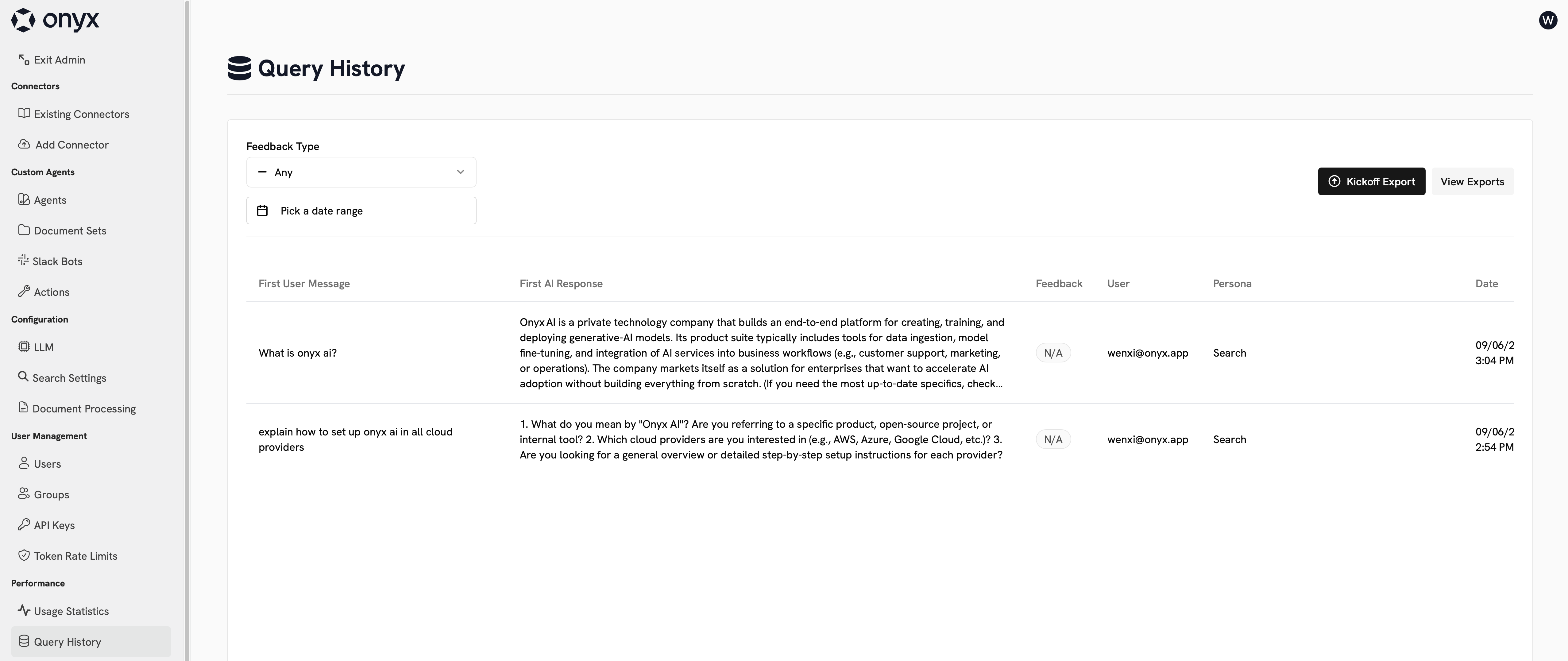
On the Query History page, you can see a log of all messages sent to Onyx.
This includes messages sent to the Slack bot and through API keys.
 ## Exporting Query History
You can export your query history to a CSV file.
This export can be time consuming depending on the size of your query history.
## Exporting Query History
You can export your query history to a CSV file.
This export can be time consuming depending on the size of your query history.