> ## Documentation Index
> Fetch the complete documentation index at: https://docs.onyx.app/llms.txt
> Use this file to discover all available pages before exploring further.
# GitBook
> Access documentation from GitBook
## How it works
The GitBook connector will pull in all the documentation content from your specified GitBook spaces.
## Setting up
### Authorization
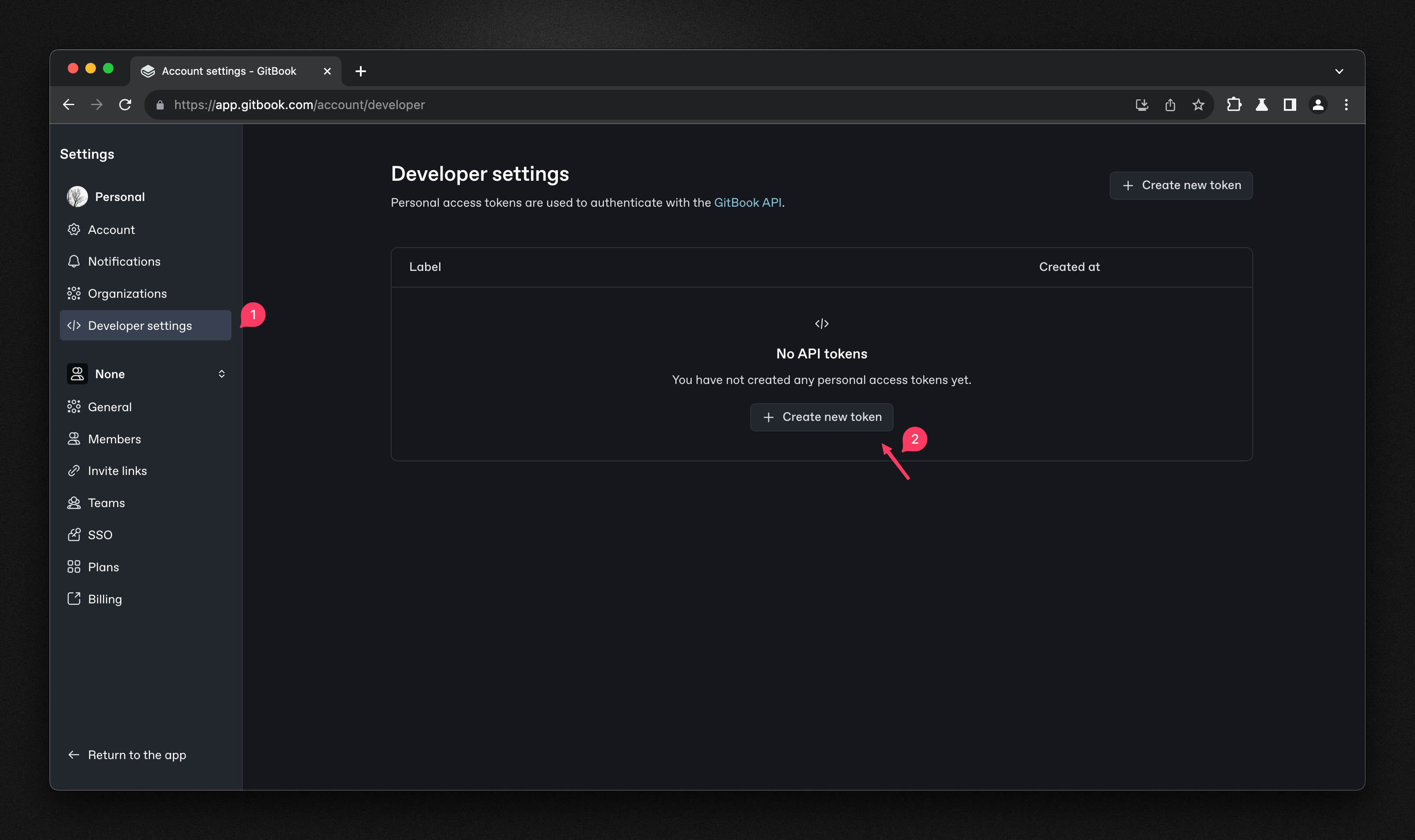
Go to your GitBook account settings and navigate to 'Developers' section ([https://app.gitbook.com/account/developer](https://app.gitbook.com/account/developer))
Click on 'Create new token'. Give your token a name and select the appropriate scopes.
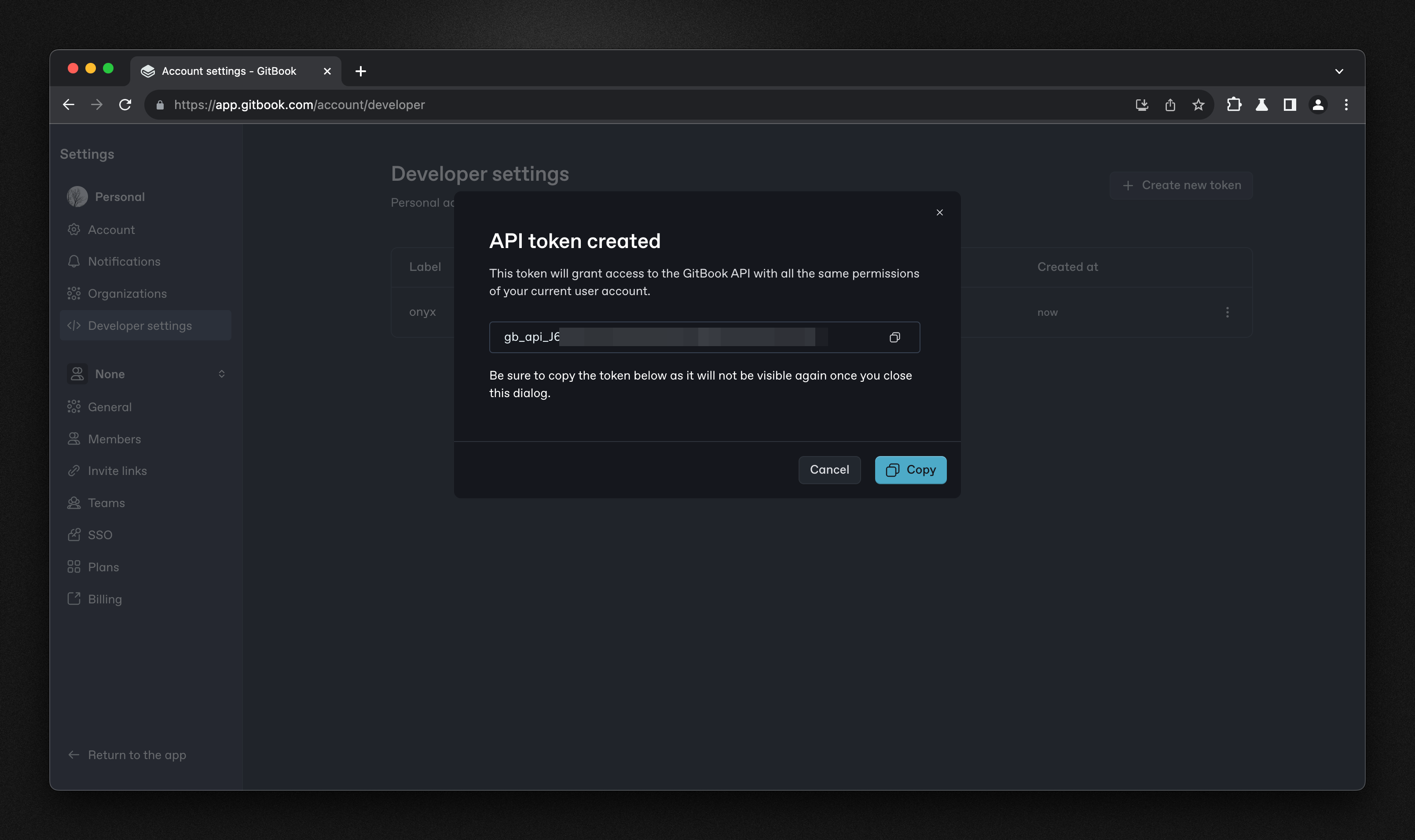
Click 'Create' to generate your API token.
Copy and save your token securely — you won't be able to see it again.
 ### Indexing
Navigate to the Admin Panel and select the **GitBook** Connector
In **Step 1**, paste your **API Token** from the previous step
### Indexing
Navigate to the Admin Panel and select the **GitBook** Connector
In **Step 1**, paste your **API Token** from the previous step
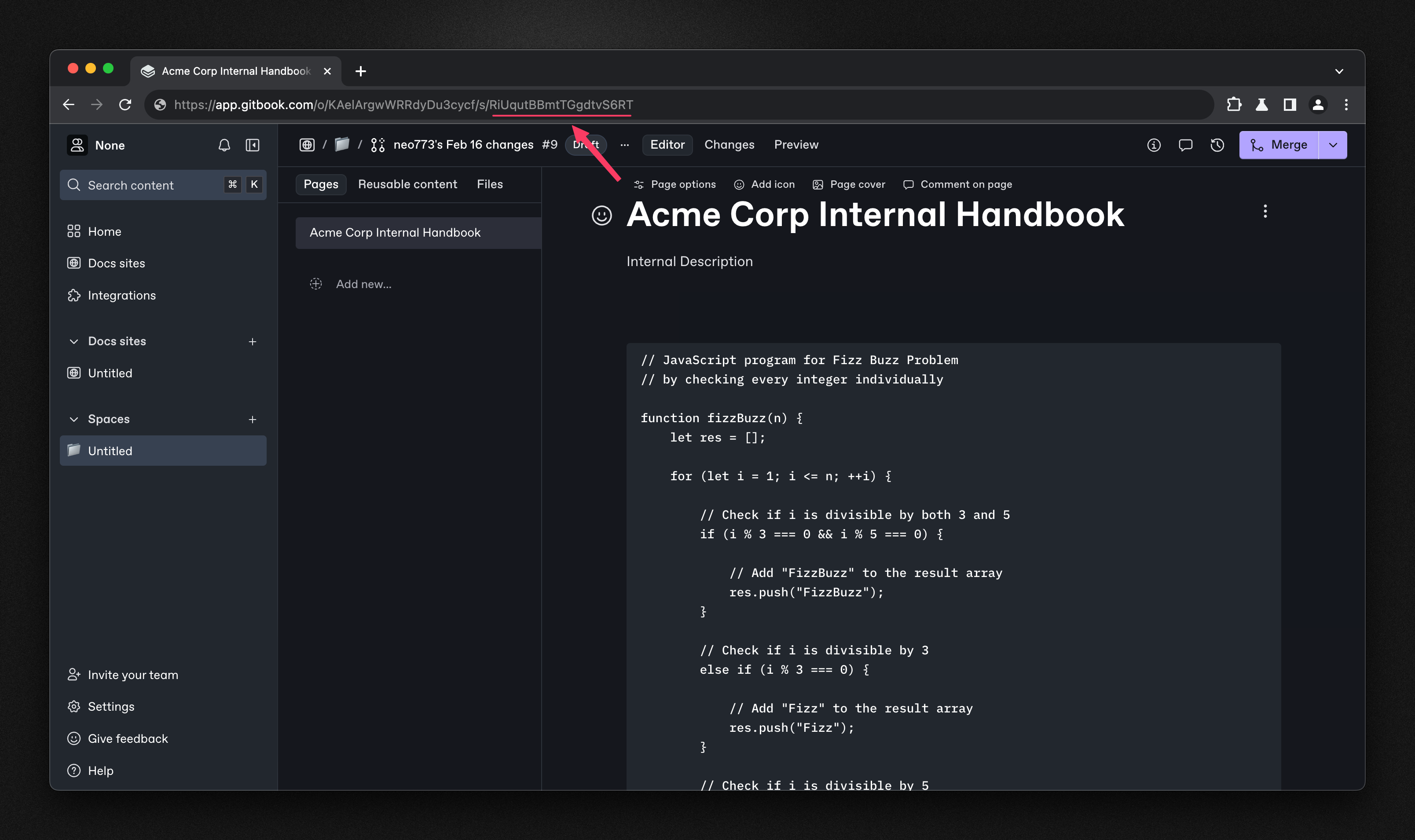
 Enter your **Space ID** - you can find this in the URL of your GitBook space (e.g.,
`https://app.gitbook.com/o//s/`). Click 'Connect' to begin indexing your GitBook content.
Enter your **Space ID** - you can find this in the URL of your GitBook space (e.g.,
`https://app.gitbook.com/o//s/`). Click 'Connect' to begin indexing your GitBook content.