> ## Documentation Index
> Fetch the complete documentation index at: https://docs.onyx.app/llms.txt
> Use this file to discover all available pages before exploring further.
# Desktop App
> Install and configure the Onyx desktop application
The Onyx Desktop App provides users with a native application experience for accessing Onyx on Windows, macOS,
and Linux.
Features include:
* Quick-launch from system tray or dock
* Global keyboard shortcuts
* Desktop notifications
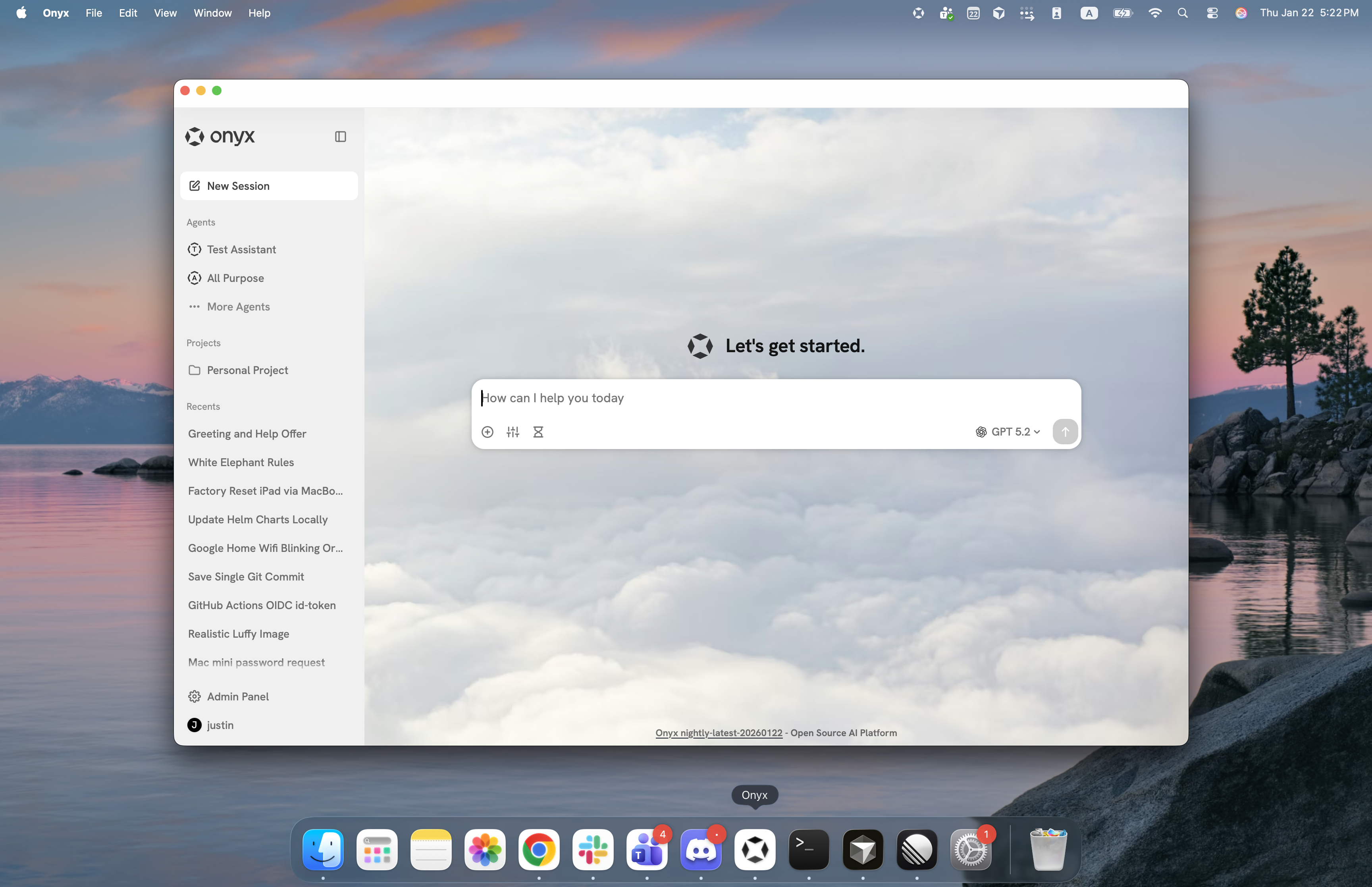 The desktop app is used for connecting to an Onyx server backend. Users will need access to the Onyx instance URL.
It cannot connect directly to a local inference backend.
## Download
Download the latest Onyx Desktop App for your platform:
Download for Windows (.exe)
Download for macOS (.dmg)
Download for Linux (.deb)
Additional architectures and formats (.msi, .rpm, .app.tar.gz)
are available on the [GitHub Releases page](https://github.com/onyx-dot-app/onyx/releases/latest).
## First Launch
**Self-hosted users**: On first launch,
the app opens a **Settings** screen to configure the connection to your Onyx instance:
* **Server URL**: Your Onyx instance URL (e.g., `https://onyx.yourcompany.com`)
* **Authentication**: Sign in with your configured authentication method
The Server URL can be changed at any time from the **Settings** screen (`⌘ ,` on macOS, `Ctrl ,` on Windows and Linux).
## Enterprise Deployment
For organizations rolling out the desktop app at scale, you can pre-configure the Server URL (and other options)
so users skip the first-launch **Settings** prompt entirely.
Place a `config.json` file on each machine before the user first opens the app. On launch,
Onyx reads the file and connects to your instance directly; users only need to sign in.
### Configuration File Location
The app reads its settings from a `config.json` file at the following location:
```
%APPDATA%\onyx\onyx-desktop\config\config.json
```
```
~/Library/Application Support/app.onyx.onyx-desktop/config.json
```
```
~/.config/onyx-desktop/config.json
# or, if $XDG_CONFIG_HOME is set:
$XDG_CONFIG_HOME/onyx-desktop/config.json
```
Example `config.json`:
```json theme={null}
{
"server_url": "https://onyx.yourcompany.com",
"window_title": "Onyx"
}
```
## Configuration Options
| Option | Values | Platforms | Description |
| ------------------------- | ------------------------------------------------- | --------------------- | ------------------------------------------------------------------------------------------------------------------------------------------------------------------------------------------------ |
| `server_url` | string
The desktop app is used for connecting to an Onyx server backend. Users will need access to the Onyx instance URL.
It cannot connect directly to a local inference backend.
## Download
Download the latest Onyx Desktop App for your platform:
Download for Windows (.exe)
Download for macOS (.dmg)
Download for Linux (.deb)
Additional architectures and formats (.msi, .rpm, .app.tar.gz)
are available on the [GitHub Releases page](https://github.com/onyx-dot-app/onyx/releases/latest).
## First Launch
**Self-hosted users**: On first launch,
the app opens a **Settings** screen to configure the connection to your Onyx instance:
* **Server URL**: Your Onyx instance URL (e.g., `https://onyx.yourcompany.com`)
* **Authentication**: Sign in with your configured authentication method
The Server URL can be changed at any time from the **Settings** screen (`⌘ ,` on macOS, `Ctrl ,` on Windows and Linux).
## Enterprise Deployment
For organizations rolling out the desktop app at scale, you can pre-configure the Server URL (and other options)
so users skip the first-launch **Settings** prompt entirely.
Place a `config.json` file on each machine before the user first opens the app. On launch,
Onyx reads the file and connects to your instance directly; users only need to sign in.
### Configuration File Location
The app reads its settings from a `config.json` file at the following location:
```
%APPDATA%\onyx\onyx-desktop\config\config.json
```
```
~/Library/Application Support/app.onyx.onyx-desktop/config.json
```
```
~/.config/onyx-desktop/config.json
# or, if $XDG_CONFIG_HOME is set:
$XDG_CONFIG_HOME/onyx-desktop/config.json
```
Example `config.json`:
```json theme={null}
{
"server_url": "https://onyx.yourcompany.com",
"window_title": "Onyx"
}
```
## Configuration Options
| Option | Values | Platforms | Description |
| ------------------------- | ------------------------------------------------- | --------------------- | ------------------------------------------------------------------------------------------------------------------------------------------------------------------------------------------------ |
| `server_url` | string
(default: `"https://cloud.onyx.app"`) | Windows, macOS, Linux | The Onyx instance the app connects to. Required for the app to skip the first-launch **Settings** prompt. A trailing slash is ignored. |
| `window_title` | string
(default: `"Onyx"`) | Windows, macOS, Linux | Custom title shown in the application window. |
| `show_menu_bar` | boolean
(default: `true`) | Windows, Linux | Whether the application menu bar is shown. Normally toggled from **Window → Show Menu Bar** rather than pre-configured. Ignored on macOS, where the menu bar is managed by the operating system. |
| `hide_window_decorations` | boolean
(default: `false`) | Linux | Hides the window's title bar and borders. Normally toggled from **Window → Hide Window Decorations**. |
`config.json` must be valid JSON with values of the correct type.
A single invalid entry causes the app to discard the **entire** file and fall back to the default settings.