> ## Documentation Index
> Fetch the complete documentation index at: https://docs.onyx.app/llms.txt
> Use this file to discover all available pages before exploring further.
# Welcome to Onyx!
> Open Source AI Platform for Work
## What is Onyx?
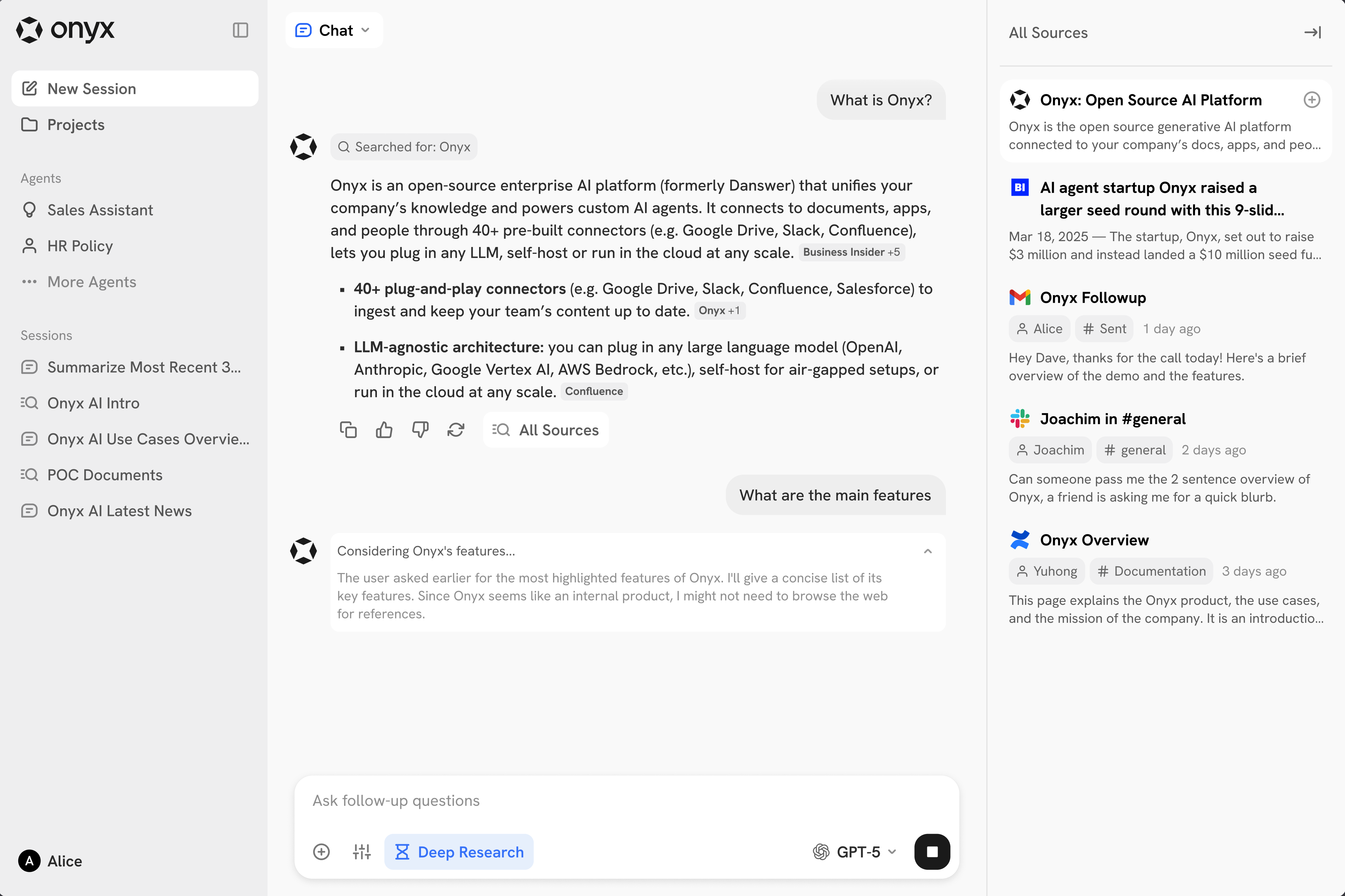
Onyx is your team's entry point to Generative AI,
offering a natural language interface for any LLM while integrating seamlessly with your knowledge and applications.
Build tailored AI Agents, search for documents, browse the web, and more — all in one place.
 ### Quickstart
Checkout our quickstart guide to self-host Onyx in minutes.
Sign up for a free trial of Onyx Cloud, no credit card required.
## Major Features
The best way to quickly get familiar with Onyx is to check out the features below!
Conversational interface to your LLMs, Agents, and knowledge.
Create AI agents tailored to your use cases with custom instructions, knowledge, and actions.
Search through your organization's knowledge and connected applications.
Enrich the knowledge of the LLM with the latest information from the internet.
Enable Actions connected to your team's applications to let Agents automate work.
Execute code directly within your chat sessions for complex calculations and data analysis.
To learn about other features, check out the [Core Features](/overview/core_features/chat)
section or visit the [Admin Docs](/admins/overview) for an even more in depth breakdown.
## Why Onyx?
Why choose Onyx over ChatGPT, Microsoft Copilot, Google Gemini, or Glean?
* **Reliable Responses from Internal Knowledge:**
Onyx builds a knowledge index using LLM-native techniques. Powered with contextual retrieval, advanced RAG,
hybrid search, and AI-generated knowledge graphs, Onyx ensures the most relevant results and the least hallucinations.
* **Open Source:**
Onyx is made for security, data privacy, and ease of self-hosting. It's easy and free to get started.
For teams investing in a long-term GenAI strategy,
Onyx can be easily extended or customized to your team's future needs.
* **Highly Configurable:**
Onyx is designed to be flexible, so you can optimize the experience for your team. Plug and play any LLM model,
connect only the data you need, and enable the features you want your team to use.
## Ready to Get Started?
**Next Steps:**
Checkout our quickstart guide to self-host Onyx in minutes.
Sign up for a free trial of Onyx Cloud, no credit card required.
### Quickstart
Checkout our quickstart guide to self-host Onyx in minutes.
Sign up for a free trial of Onyx Cloud, no credit card required.
## Major Features
The best way to quickly get familiar with Onyx is to check out the features below!
Conversational interface to your LLMs, Agents, and knowledge.
Create AI agents tailored to your use cases with custom instructions, knowledge, and actions.
Search through your organization's knowledge and connected applications.
Enrich the knowledge of the LLM with the latest information from the internet.
Enable Actions connected to your team's applications to let Agents automate work.
Execute code directly within your chat sessions for complex calculations and data analysis.
To learn about other features, check out the [Core Features](/overview/core_features/chat)
section or visit the [Admin Docs](/admins/overview) for an even more in depth breakdown.
## Why Onyx?
Why choose Onyx over ChatGPT, Microsoft Copilot, Google Gemini, or Glean?
* **Reliable Responses from Internal Knowledge:**
Onyx builds a knowledge index using LLM-native techniques. Powered with contextual retrieval, advanced RAG,
hybrid search, and AI-generated knowledge graphs, Onyx ensures the most relevant results and the least hallucinations.
* **Open Source:**
Onyx is made for security, data privacy, and ease of self-hosting. It's easy and free to get started.
For teams investing in a long-term GenAI strategy,
Onyx can be easily extended or customized to your team's future needs.
* **Highly Configurable:**
Onyx is designed to be flexible, so you can optimize the experience for your team. Plug and play any LLM model,
connect only the data you need, and enable the features you want your team to use.
## Ready to Get Started?
**Next Steps:**
Checkout our quickstart guide to self-host Onyx in minutes.
Sign up for a free trial of Onyx Cloud, no credit card required.