

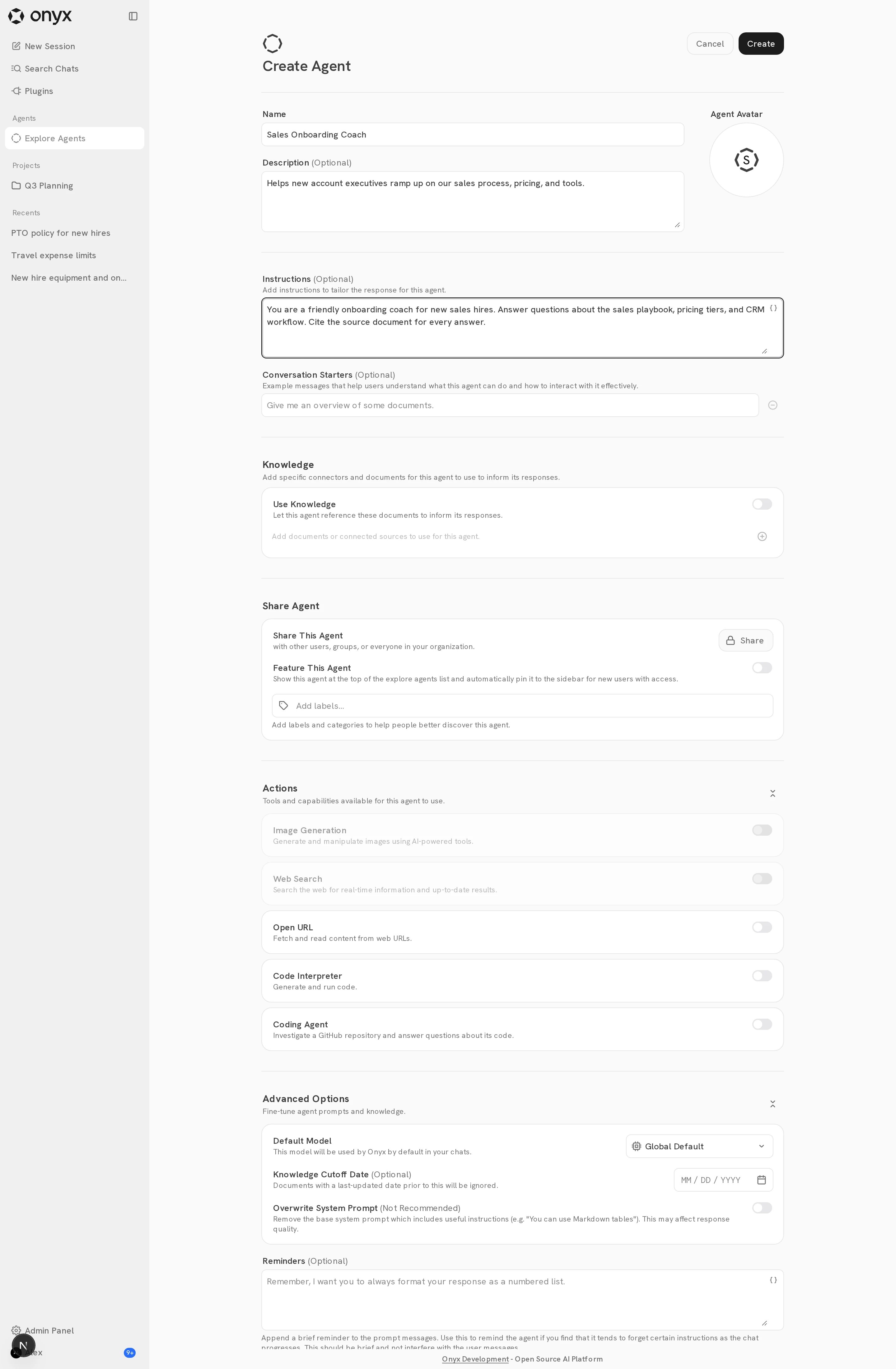
When to use an Agent
Use Agents for repeat use cases, especially ones you want to share with your team. Common examples:- Onboarding Assistant
- AI Helpdesk
- Engineer Copilot
- Legal Reviewer
Creating an Agent
Open Agents in the sidebar, then select Explore Agents to browse Agents shared with you or to create your own. Admins manage all Agents at Admin Panel → Agents, and edit the default Agent that powers plain chats.In the Community Edition, every user can create Agents. In the Enterprise Edition,
admins can limit Agent creation to specific users or groups.
Instructions (Prompting)
For inspiration, this is the Instruction for the default Onyx experience.Onyx system default Instruction
Onyx system default Instruction
[[CURRENT_DATETIME]] at run time and adds citation and action instructions based on the enabled
Actions.- Always provide your results in a table.
- Quote directly from the documents rather than rewording.
- Flag information from documents that are older than 3 months.
Knowledge
An Agent can use knowledge from Connectors, Document Sets, and uploaded files. You can also set a Knowledge Cutoff Date so the Agent ignores older documents.Actions
Web Search, Image Generation, Voice,
and Code Interpreter must be set up in the Admin Panel before Agents can use them.
- Update a ticket status based on the conversation.
- Check the status of a service to give a real-time answer.
- Move a deal along a sales pipeline in a CRM from a call transcript or a user request.