

Overview
Each language model provider has a Models Access setting. It controls who can use the provider’s models and which agents can use them. Use it to keep expensive or specialized models for the teams and agents that need them.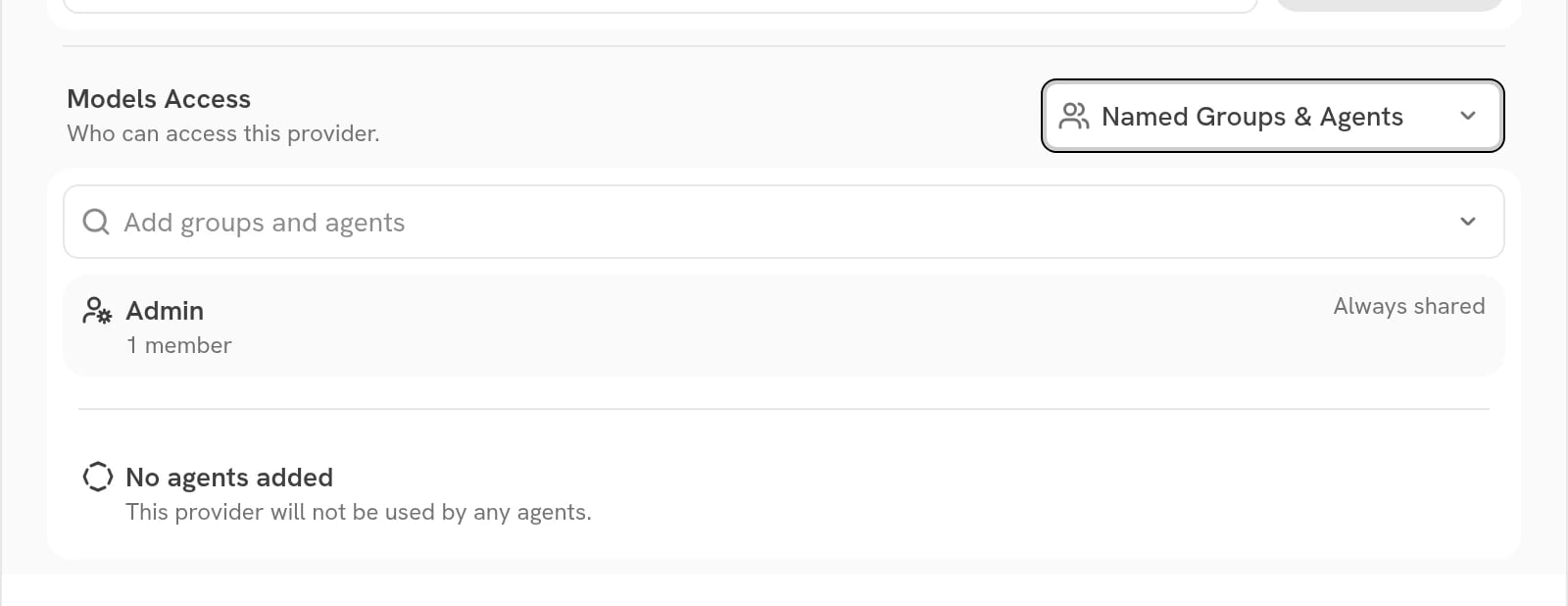
Business Plan FeatureGroup restrictions require a Business plan or higher. Agent restrictions are available on every plan.
Onyx Cloud includes both. View plans.
Access Levels
All Users & Agents
All Users & Agents
Every user and every agent can use the provider. This is the default.You can still add agents. When you do, all users keep access, but only the listed agents can use the provider.
Named Groups & Agents
Named Groups & Agents
Only the groups and agents you add can use the provider.
- Groups restrict who can use the provider. Users outside the groups do not see its models. Admins, and anyone with the manage-models permission, keep access.
- Agents restrict where the provider can be used. The models appear only in those agents. This applies to admins too.
- With both groups and agents, a user must be in a group and use a listed agent.
- With neither, only admins can use the provider.
Configure Access
1
Open the provider
Open Admin Panel → Language Models and open an existing provider, or add a new one.
2
Set Models Access
Under Models Access, select All Users & Agents or Named Groups & Agents.
Use Add groups and agents to pick the groups and agents. The Admin row is always shared.
3
Save
Save the provider. The change applies to new chats at once.
Access Rules
What Users See
Users see only the providers they can use:- In the model picker in chat
- When they create or edit an agent
- When they list providers through the API