

Image generation and voice are configured separately in Image Generation
and Voice Mode.
Language Models
Navigate to Admin Panel → Language Models to choose which providers your workspace can use, which models are visible, and which models should be the default or fast option in Onyx.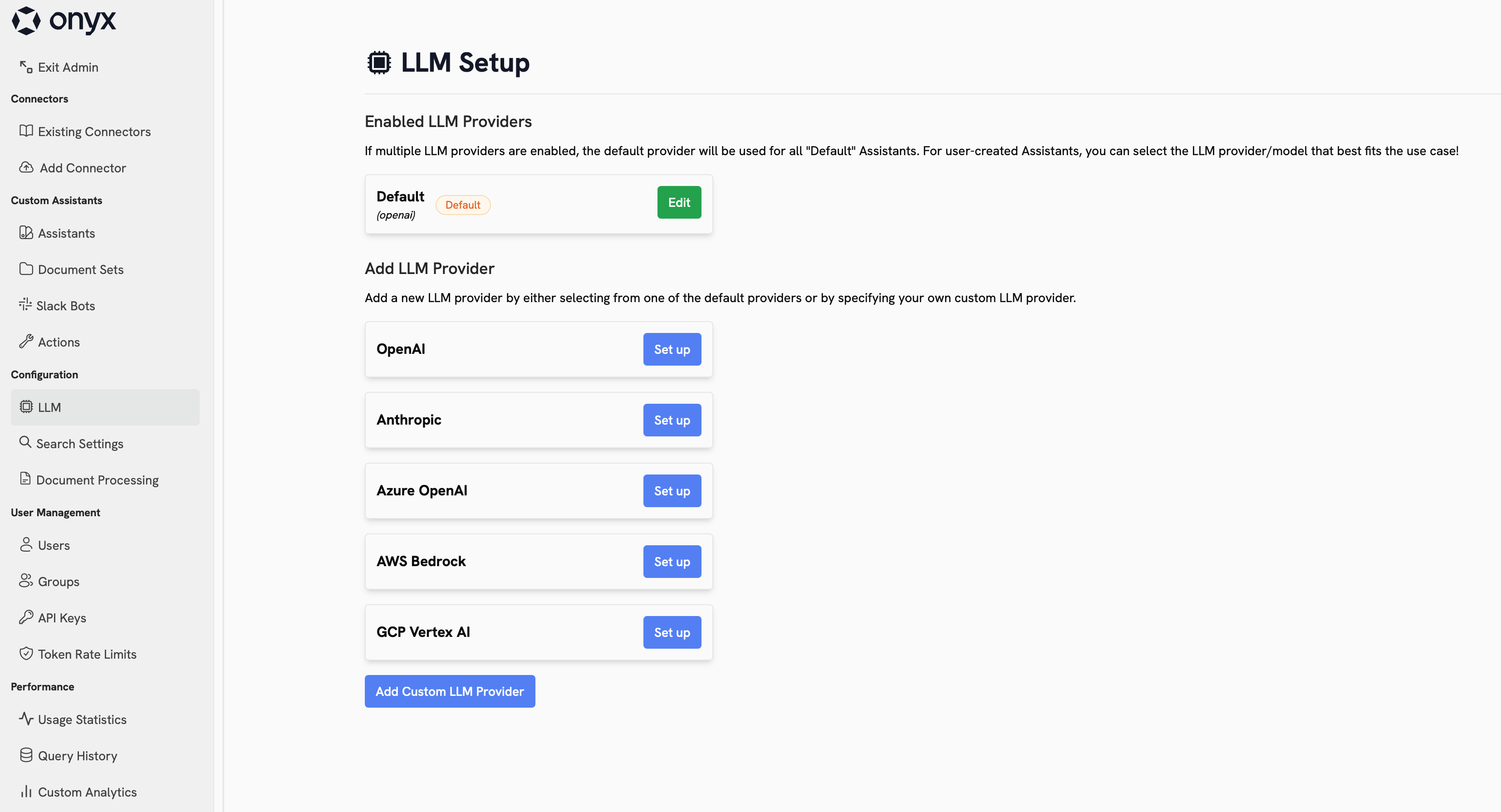
Provider Types
Direct Model Providers
Direct Model Providers
These providers give you direct access to a model vendor’s hosted API.Common choices include OpenAI and Anthropic.
This is usually the simplest setup when you want fast access to the provider’s latest flagship models.
Cloud Platforms and Aggregators
Cloud Platforms and Aggregators
These providers expose language models through a broader cloud or routing layer.Common choices include Azure OpenAI, Amazon Bedrock, Google Vertex AI, OpenRouter,
LiteLLM Proxy, and Bifrost. They are useful when you need enterprise controls, cloud alignment,
regional hosting options, or access to multiple model families from one integration point.
Self-Hosted and Local Runtimes
Self-Hosted and Local Runtimes
OpenAI-Compatible Custom Providers
OpenAI-Compatible Custom Providers
If your provider is not listed directly, you can still connect it through an OpenAI-compatible API.This covers custom gateways, hosted inference endpoints,
and internal model platforms that expose an OpenAI-style
/chat/completions or /models interface.Choosing a Good Starting Setup
If cloud-hosted models are approved for your organization,
they are usually the best default choice because they are easier to operate and generally provide the best
capability-to-cost tradeoff.
- Start with one primary provider for most users.
- Use a recent GPT, Claude, or Gemini family model as your default if you want the strongest out-of-the-box experience.
- Use Bedrock, Vertex AI, Azure OpenAI, OpenRouter, LiteLLM Proxy, or Bifrost when procurement, routing, or cloud alignment matters more than a direct vendor integration.
- Use open-weight families such as Llama, Qwen, DeepSeek, or gpt-oss if you are self-hosting.
- Keep the visible model list short so users are choosing between a few intentional options instead of every possible version.
Self-hosting is best for advanced teams that already know which models they want to run and how they will operate
them.
Configure Your Providers
OpenAI
Azure OpenAI
Anthropic
AWS Bedrock
Google Vertex AI
OpenRouter
Bifrost
LiteLLM Proxy
Ollama
LM Studio
OpenAI-Compatible Providers
Best Practices
- Review the terms, privacy posture, and data processing terms of every provider you enable.
- Limit the visible model list to the models you actually want users to choose from.
- Use private providers and access controls for costly, experimental, or team-specific models.
- Decide on a default model at the organization level before rolling the page out broadly.
- Make sure internal guidance is clear about what data users can send to each provider.