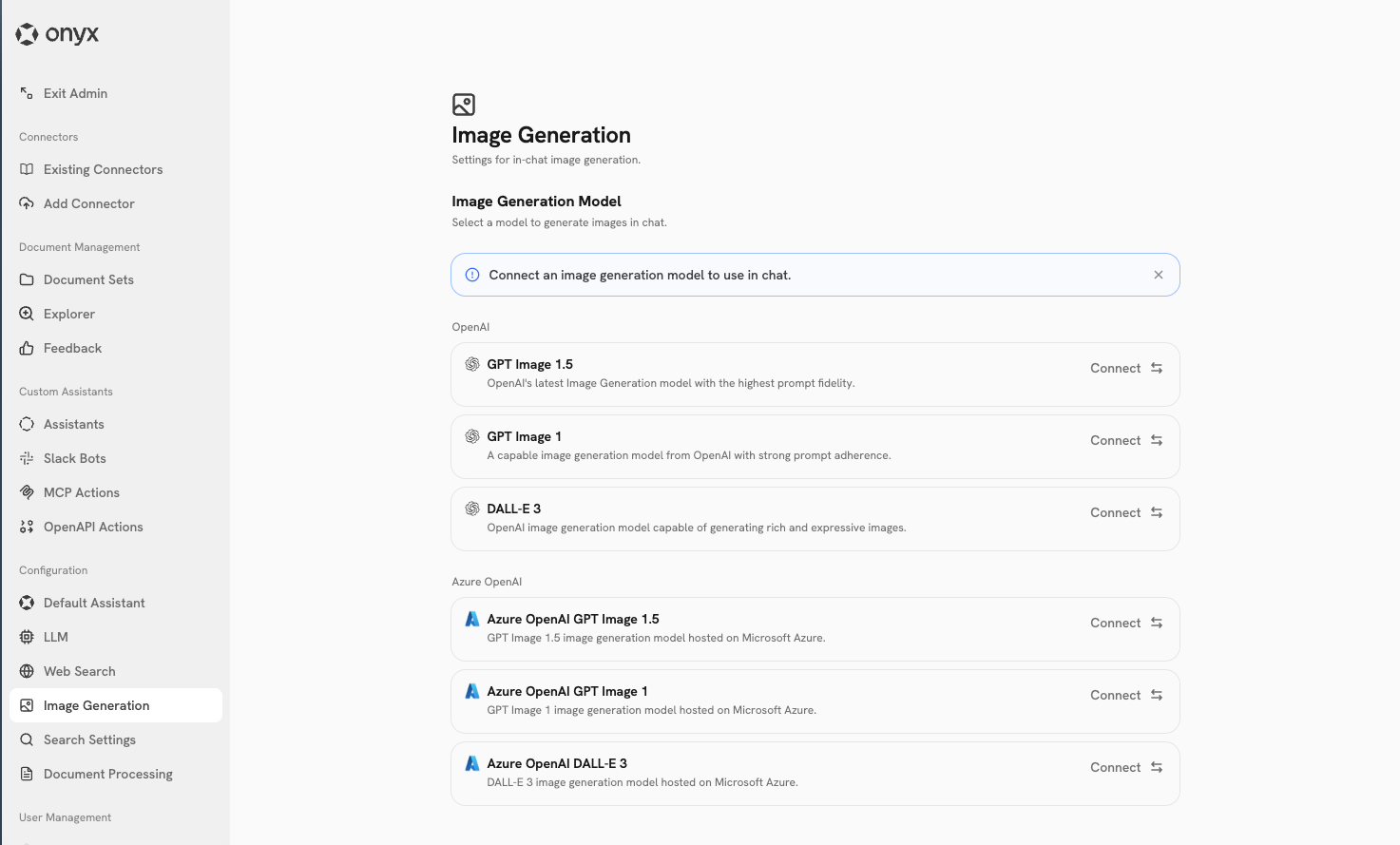
The image generation action allows your Agents to create images based on text prompts. Once configured, any AI model in Onyx can invoke this action to generate images using supported image generation models.

Supported Models

Onyx supports the following image generation models:
ModelProvider
DALL-E 3OpenAI / Azure OpenAI
GPT Image 1OpenAI / Azure OpenAI

Enabling Image Generation

You can enable image generation in Onyx by configuring either an OpenAI provider or Azure OpenAI environment variables.

Option 1: OpenAI Provider

If you have an OpenAI LLM provider configured in Onyx, image generation is automatically enabled. Follow the OpenAI configuration guide to set up an OpenAI provider. Once configured, the image generation action will automatically appear in your Actions dashboard.

Option 2: Azure OpenAI Environment Variables

If you are using Azure OpenAI, you can enable image generation by creating an Azure model deployment and setting the following environment variables in your .env or values.yaml file.
.env
AZURE_IMAGE_API_KEY=your_azure_image_api_key
AZURE_IMAGE_API_BASE=https://your-resource.openai.azure.com
AZURE_IMAGE_API_VERSION=2024-02-01
AZURE_IMAGE_DEPLOYMENT_NAME=your_image_deployment_name
values.yaml
configMap:
  AZURE_IMAGE_API_KEY: your_azure_image_api_key
  AZURE_IMAGE_API_BASE: https://your-resource.openai.azure.com
  AZURE_IMAGE_API_VERSION: 2024-02-01
  AZURE_IMAGE_DEPLOYMENT_NAME: your_image_deployment_name
An image generation model configuration page will be available soon in the Admin Panel!

Using Image Generation

Once image generation is enabled, you will see the Image Generation action in the Actions tab of the Admin Panel. Any AI model configured in Onyx can invoke the image generation action. When a user requests an image, the Agent will automatically use the configured image generation model.