Onyx Documentation home page
Search...
⌘K
Ask AI
onyx-dot-app/onyx
Onyx Cloud
Onyx Cloud
Search...
Navigation
Auditing
Query History
Overview
Deployment
Admins
Developers
Security
Changelog
Website
Discord
Getting Started
Overview
Enterprise Edition
AI Models
Overview
Supported LLMs
Connectors
Overview
Supported Connectors
Managing Features
Chat UI
RAG and Search
Custom Agents
Actions
Web Search
Code Execution
Image Generation
Voice Mode
Access Control
Users and Groups
SCIM
Service Accounts
Advanced Configs
Rate Limits
White Labeling
LLM Access Controls
Hook Extensions
Slack Bot
Discord Bot
Spending Limits
Auditing
Usage Analytics
Query History
Custom Analytics
Plans & Billing
Plans & Billing
Subscribe to a Plan
Manage Your Subscription
Troubleshooting
Miscellaneous
Contact Us
On this page
Exporting Query History
Auditing
Query History
View and export query history in Onyx
Enterprise Edition Feature
This feature requires an Enterprise plan.
View plans
or
contact sales
to learn more.
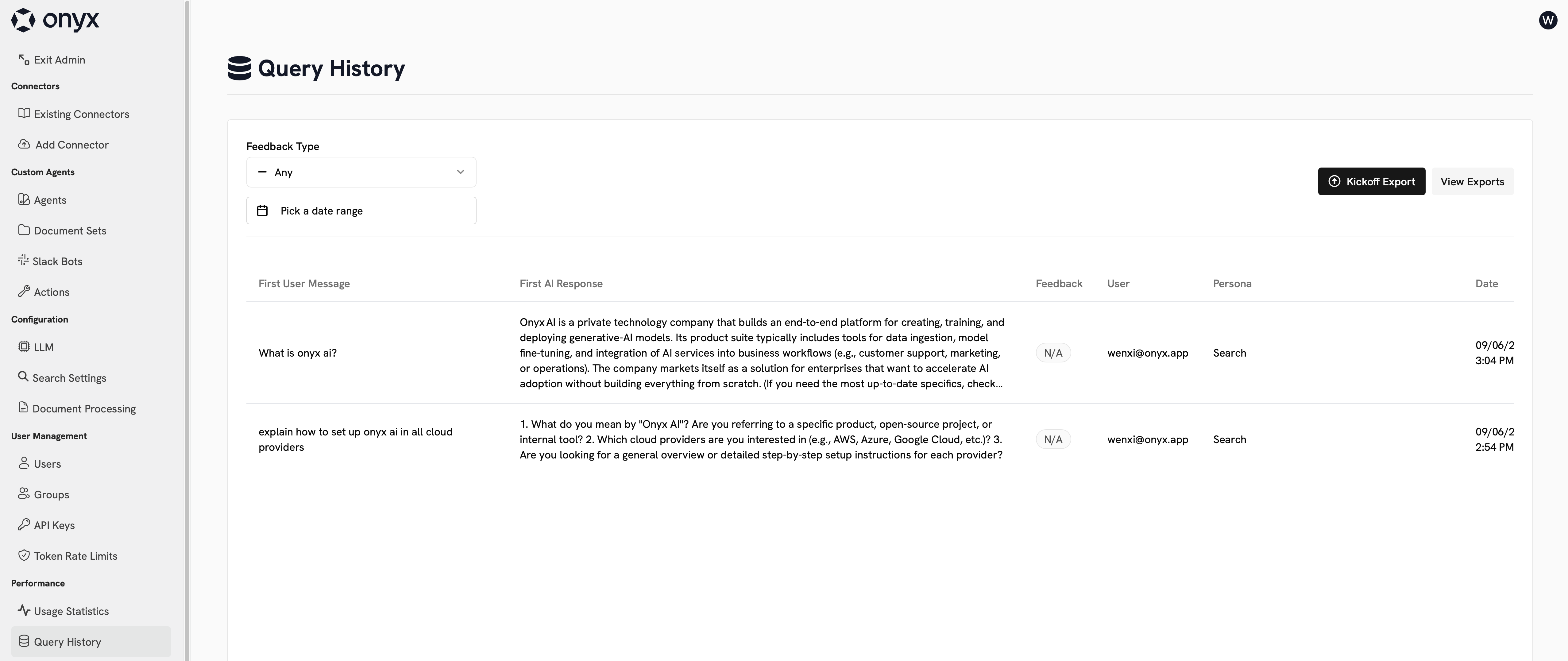
On the Query History page, you can see a log of all messages sent to Onyx. This includes messages sent to the Slack bot and through API keys.
Exporting Query History
You can export your query history to a CSV file. This export can be time consuming depending on the size of your query history.
Was this page helpful?
Yes
No
Usage Analytics
Custom Analytics
⌘I
Assistant
Responses are generated using AI and may contain mistakes.