

How it works
Onyx indexes prompts first, then datasets, then experiments,
and keeps its place between runs so a large organization is indexed across several attempts.
Before you begin
You need:- A Braintrust account with access to the organization you want to index
- A Braintrust API key
- An Onyx administrator account
The connector reads the Braintrust API at
https://api.braintrust.dev and indexes only what the API key can read.Configure Onyx
1
Connect a Braintrust account
In Onyx, go to Admin Panel → Connectors and select Braintrust. Under Authentication Account,
select New Braintrust Account and paste the key into API Token.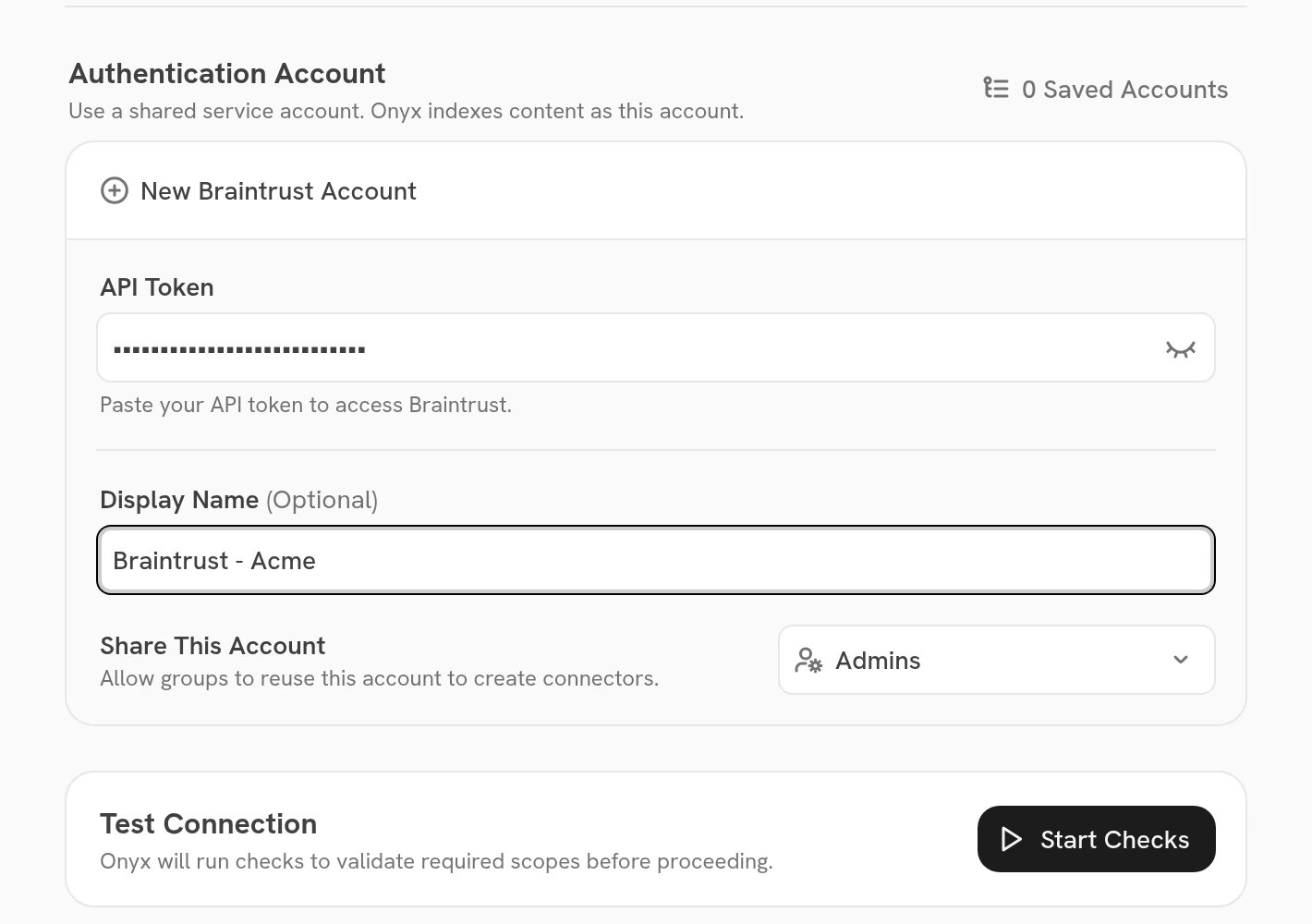
2
Choose the scope
In Project Name, enter a single Braintrust project to index only its prompts, datasets and experiments.
Leave it empty to index the whole organization.Onyx checks the name when you create the connector and refuses a project it cannot find.
3
Choose who can see the content
Under Document Access, select Everyone in Your Organization or Specific Groups.
Specific Groups is available on Onyx Cloud and Enterprise Edition.
4
Create and verify
Select Create Connector. Then open Admin Panel → Indexing Status, select the connector,
and confirm its first indexing attempt completes.
Advanced settings
These settings are under Advanced in the connector form.
A longer lookback makes each indexing run read more from Braintrust.
Limits
The connector downloads no files, so it has no file-size cap.
Troubleshooting
The API key is rejected
The API key is rejected
Braintrust API rejected the API key with HTTP 401 or 403 means the key is wrong, revoked,
or belongs to an organization you did not intend. Create a new key in Braintrust and update the Onyx credential.The project is not found
The project is not found
Braintrust project '<name>' was not found means Project Name does not match a project the key can read.
The name must match exactly. Leave the field empty to index the whole organization.Braintrust cannot be reached
Braintrust cannot be reached
Failed to reach the Braintrust API means the request did not complete.
Check that the Onyx server can reach https://api.braintrust.dev, then retry.Experiment rows are missing
Experiment rows are missing
Only experiments created within Experiment Row Lookback (days) have their rows indexed;
older experiments keep their summary only. Raise the lookback, or set it to
0, then re-index.A large table is incomplete
A large table is incomplete
A table stops at its 10,000 most recent rows, and the document says so. This limit is not configurable.