

How it works
Before you begin
You need:- The URL of your TestRail site, such as
https://example.testrail.io - A TestRail user that can read the projects you want to index
- An API key for that user
- TestRail’s API enabled for the site
- An Onyx administrator account
The connector reads only what its TestRail user can read.
Configure Onyx
1
Create a credential
In the Admin Panel, go to Connectors and select TestRail. Under Authentication Account,
select New TestRail Account. Enter the site URL in TestRail Base URL,
the user’s login in TestRail Account Email, and the API key in API Token.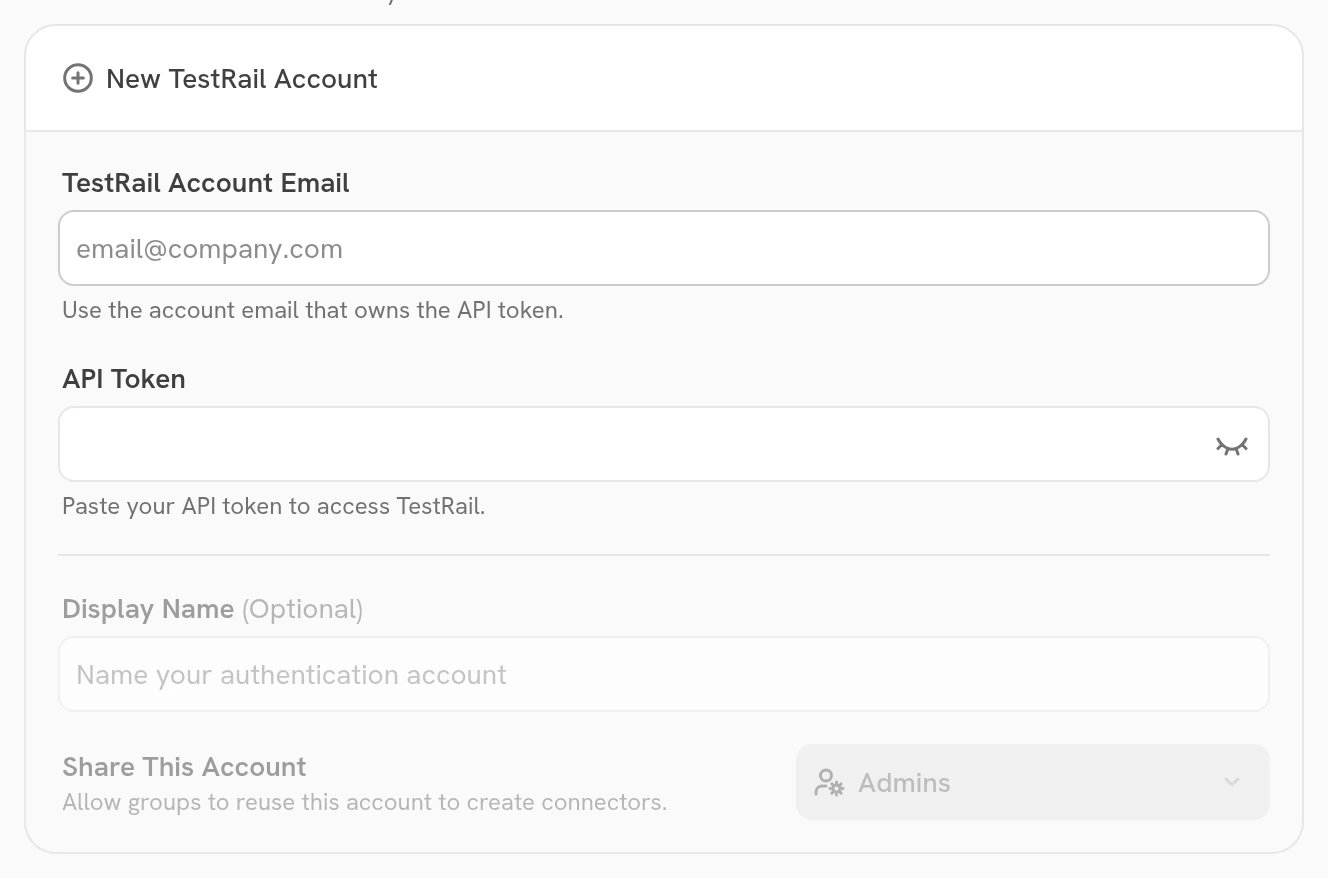
2
Choose the projects
Enter the site URL again in TestRail Base URL. In Project IDs,
enter a comma-separated list of TestRail project IDs, for example
1,2,3.
Leave it empty to index every project the user can read.3
Choose the document access
Under Connector Settings, set Document Access. Specific Groups is a paid feature:
the Business and Enterprise tiers on Onyx Cloud, and the Enterprise Edition when self-hosted.
4
Connect and verify
Select Create Connector. Then open Indexing Status in the Admin Panel, select the connector,
and confirm its first indexing attempt completes.
Advanced settings
Limits
The connector indexes no attachments, so it has no file-size cap.
Troubleshooting
The credentials are rejected
The credentials are rejected
Invalid or expired TestRail credentials (HTTP 401) means the username or API key is wrong,
or the key has been revoked. Confirm the username is the user’s login and create a new API key.
Also confirm the API is enabled in TestRail’s site settings.Permission is denied
Permission is denied
Insufficient permissions to access TestRail resources (HTTP 403) means the user cannot read the projects being
indexed. Grant it access in TestRail, or narrow Project IDs to the projects it can read.A project or case is missing
A project or case is missing
Confirm the user can open it in TestRail,
and that its project ID is in Project IDs when that field is not empty.
A case longer than Skip Document Character Limit is skipped and logged; raise the limit to index it.
Indexing is slow or times out
Indexing is slow or times out
Lower Cases Page Size so each API call returns less,
and raise
REQUEST_TIMEOUT_SECONDS if TestRail is slow to answer.