

How it works
The Fireflies connector indexes the meeting transcripts in your Fireflies account. Each meeting becomes one document. The document holds the transcript, one entry per sentence with the speaker’s name. It also carries the meeting title, date, organizer, and participants. Onyx checks Fireflies for new transcripts every 30 minutes by default. You can change Refresh Every on the connector. Each run also rereads recent meetings, so a transcript that Fireflies finished late is still picked up. Permission sync is not available for Fireflies. Everyone who can see the connector’s documents in Onyx can see every indexed transcript.Setting up
Authorization
1
Open Developer Settings
Log in to Fireflies with an account that can see the meetings you want to index. Click your profile avatar,
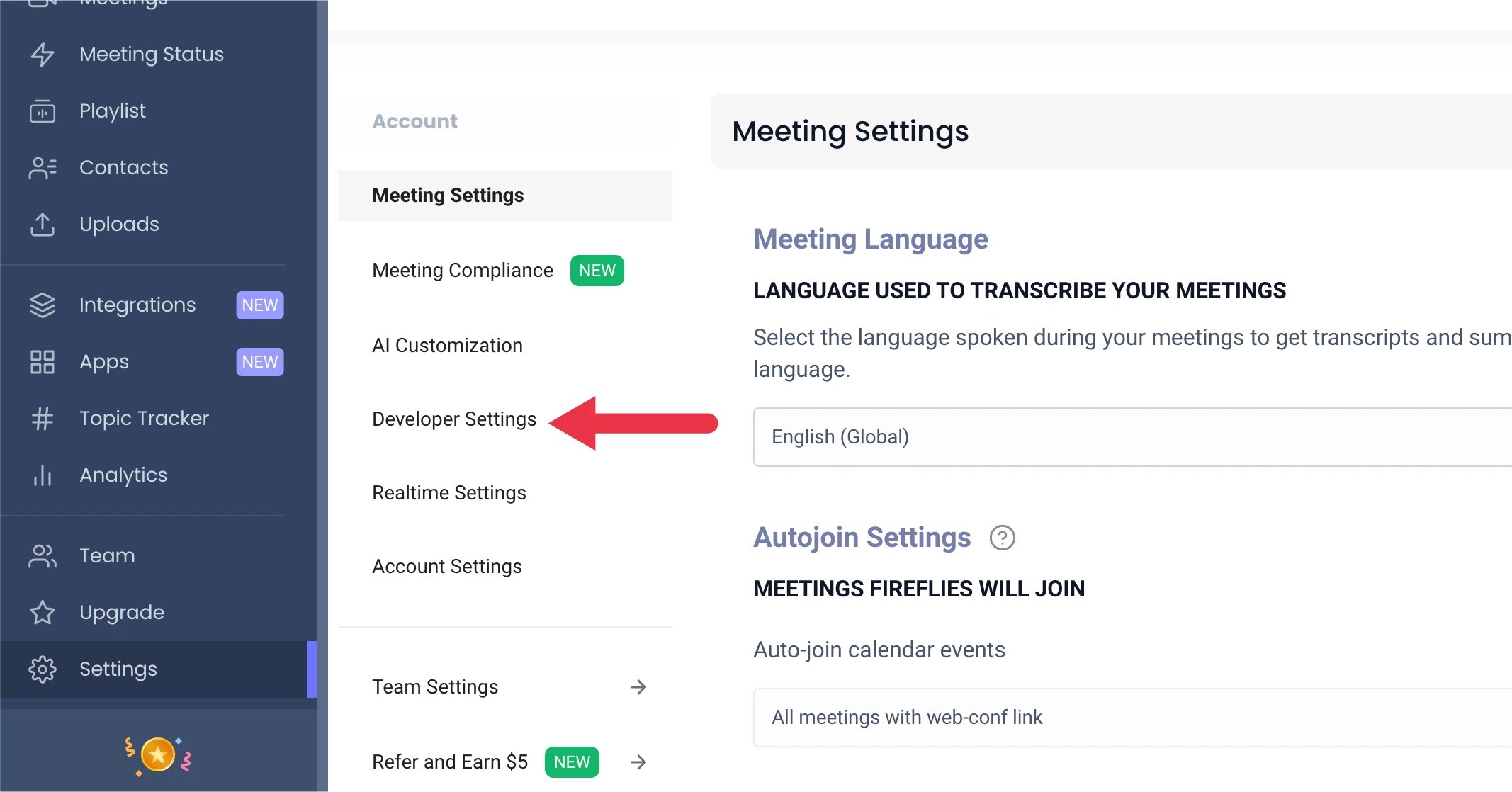
select Settings, then Developer Settings.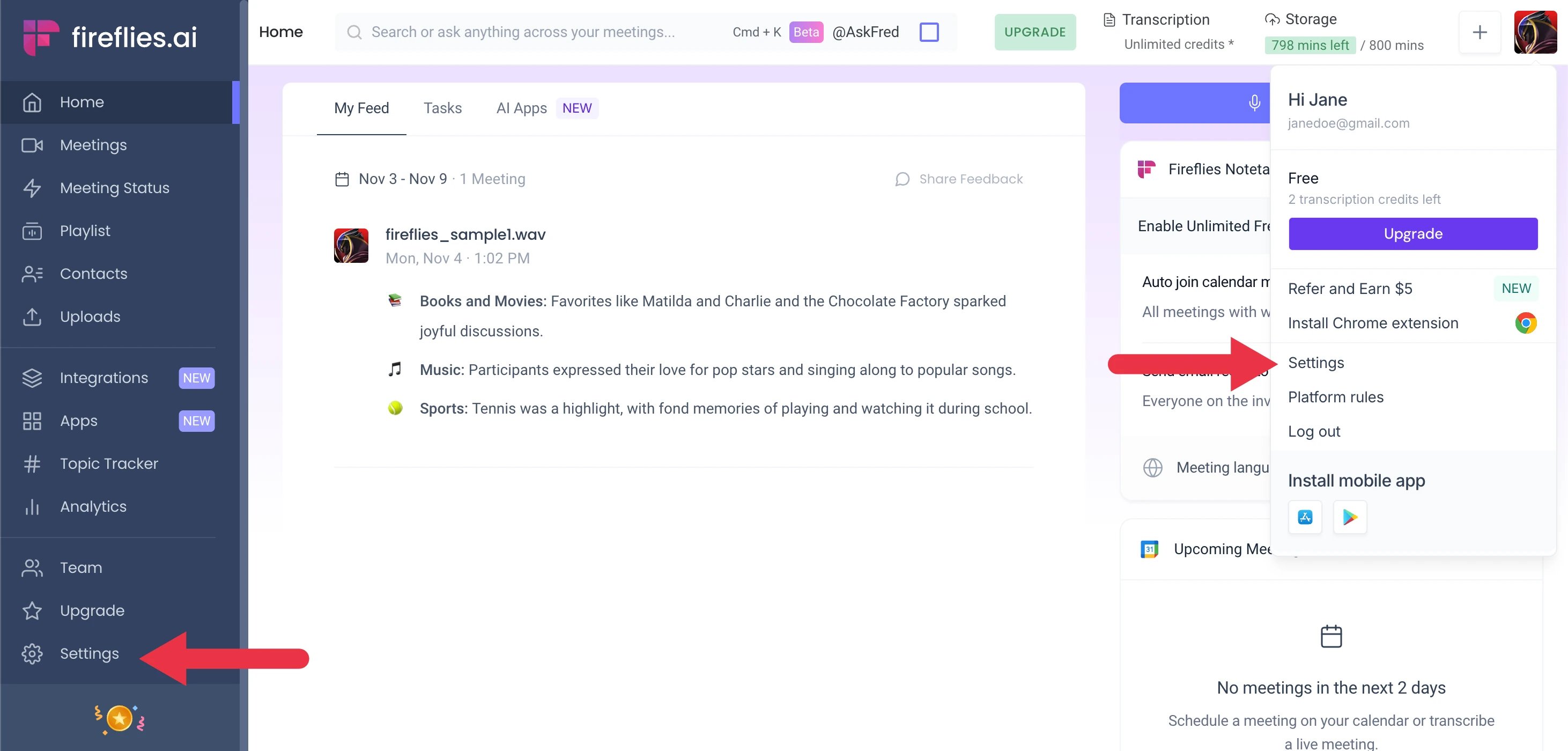
2
Copy the API key
Copy the API Key.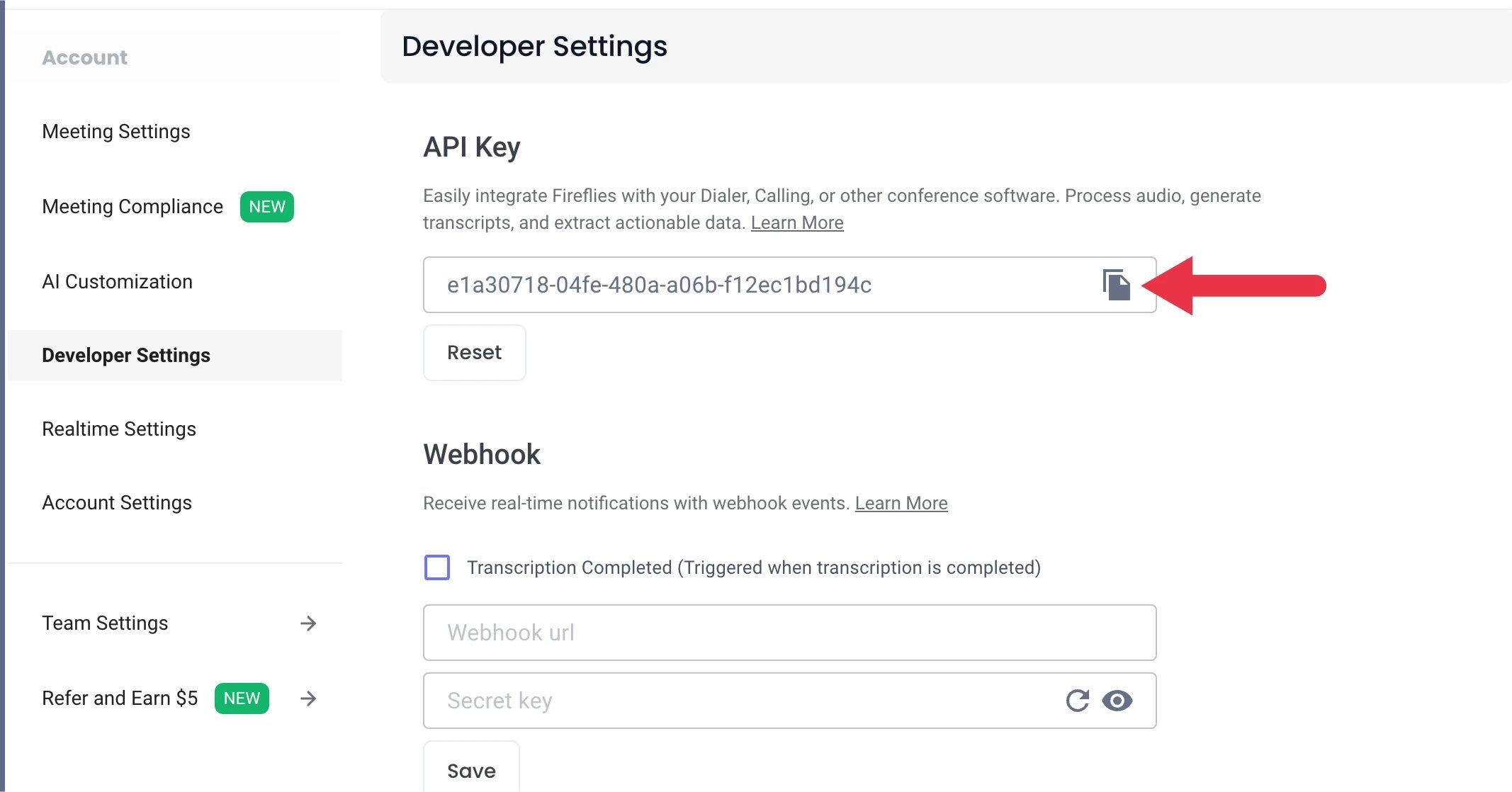
Indexing
1
Create the account
In the Onyx admin panel, go to Connectors and select Fireflies. Under Authentication Account,
click Create New and enter the key as the API Token.
2
Choose document access
Under Document Access, select who can see the indexed transcripts.
Specific Groups is available on the Business and Enterprise plans and on Onyx Cloud.
Then click Create Connector.