How it works
Export your Google Site with Google Takeout and upload the ZIP file to Onyx. Onyx indexes every HTML page in the export. Each page links back to the live site, based on the base URL you enter. The upload is a one-time import. Onyx does not poll Google Sites for changes. To index new or changed pages, export the site again and create a new connector with the new ZIP file. The Google Sites connector does not support Sync with Google Sites (permission sync).Setting up
Exporting Your Google Site
1
Export with Takeout
Follow the guide here to export your Google Site.
Include ONLY the Google Site in the export.
Indexing
1
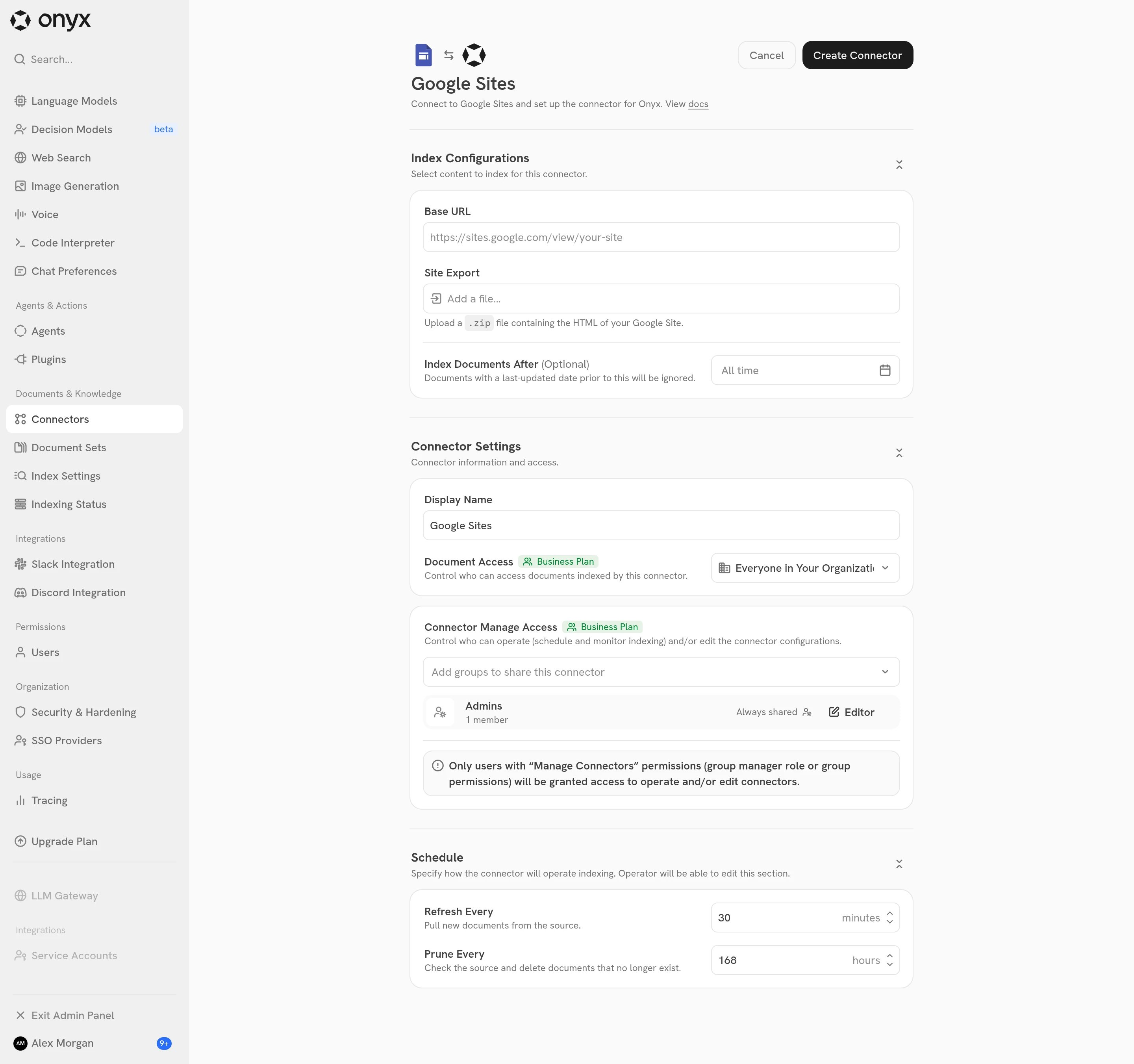
Enter the base URL
Go to Admin Panel → Connectors and select Google Sites. This connector does not need a credential.
In Base URL, enter the URL of the root page of your Google Site,
for example
https://sites.google.com/view/my-site. Onyx uses it to build the link of each indexed page.2
Upload the export
In Site Export, upload the
.zip file from the export step.3
Choose document access
Under Document Access, select Everyone in Your Organization or Specific Groups.
Specific Groups needs the Business or Enterprise tier on Onyx Cloud, or the Enterprise Edition when self-hosted.
4
Start indexing
Select Create Connector.