

How it works
The Discourse connector indexes the topics of your Discourse forum. Each topic becomes one document that holds every post in the topic, with the category and tags kept as metadata. You can index every category, or only the categories you name. Onyx pulls new and changed topics every 30 minutes by default. You can change this under Schedule. Sync with Discourse is not offered. The access type can only be Everyone in Your Organization or Specific Groups.Setting up
Authorization
1
Open API keys
Log in to Discourse as an admin. Only an admin can create an API key. Open the Admin menu, then Advanced,
and select API keys.
2
Create an API key
Click New API Key and name it
Onyx. Select All Users for User Level and Read-only for Scope.3
Save and copy the key
Click Save and copy the key.
Indexing
1
Connect a Discourse account
In Onyx, go to Admin Panel → Connectors and select Discourse. Under Authentication Account,
select New Discourse Account and enter:
- API Token: The API key you copied.
- Discourse API Username: The username of the Discourse account whose access Onyx uses. Onyx indexes only the topics this user can see.
2
Enter the forum URL
In Base URL, enter your Discourse site, such as 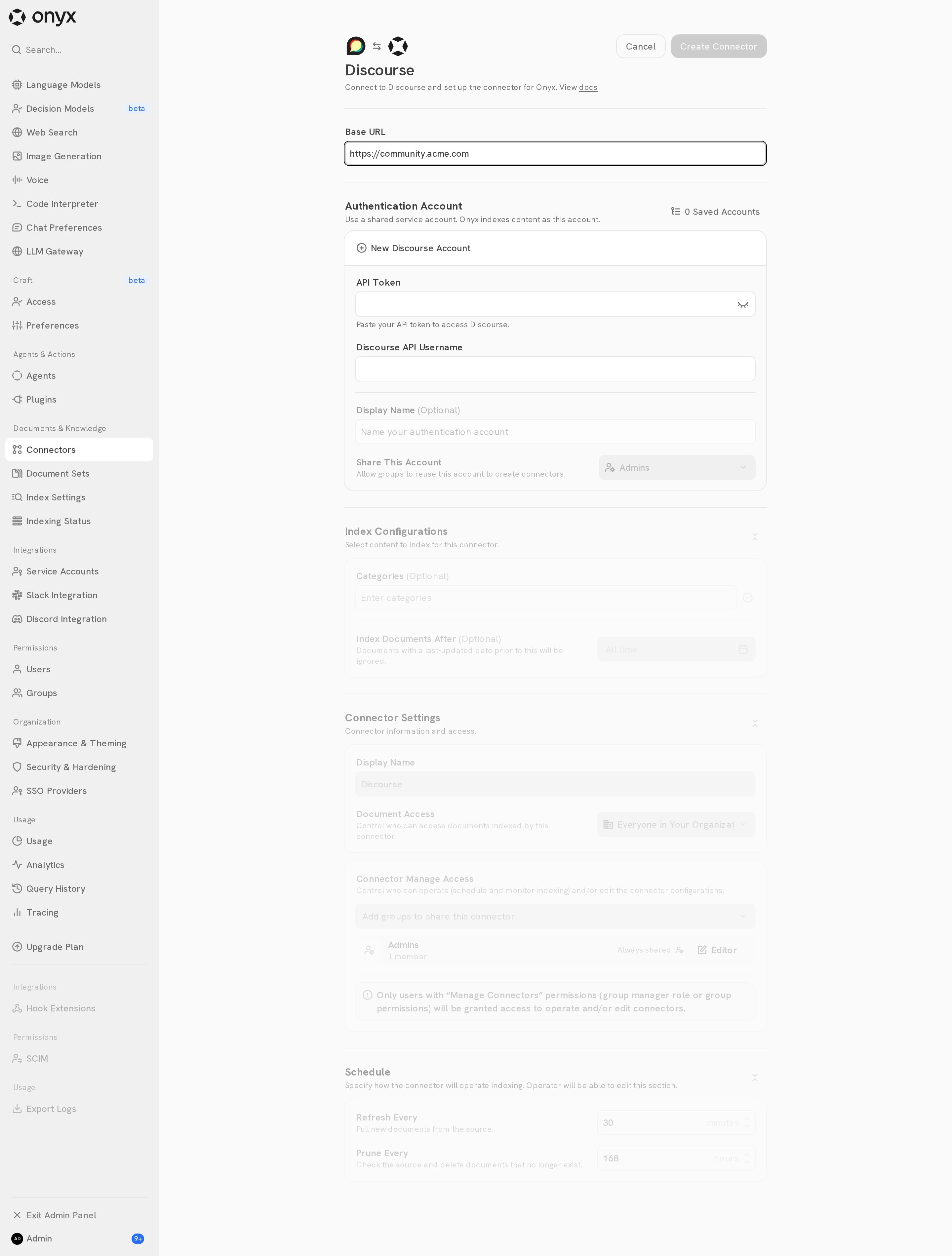
https://forum.example.com.3
Choose the categories
Under Categories, add the names of the categories to index.
Leave it empty to index every category the account can see.
4
Choose who can see the topics
Under Document Access, select Everyone in Your Organization or Specific Groups.
Specific Groups is available on Onyx Cloud and Enterprise Edition.
5
Create the connector
Select Create Connector. Open Admin Panel → Indexing Status, select the connector,
and confirm its first indexing attempt completes.