

How it works
The Google Cloud Storage connector indexes the objects in one GCS bucket. It supports common file formats such as PDF, DOCX, PPTX, XLSX, TXT, Markdown and HTML. You can limit the connector to one folder (object prefix) in the bucket. Objects larger than 20 MB are skipped. Self-hosted admins can change this limit with theBLOB_STORAGE_SIZE_THRESHOLD environment variable.
Documents are re-indexed every 24 hours by default.
You can change Refresh Every under Schedule when you create the connector.
The connector does not support Sync with Google Cloud Storage (permission sync).
Setting up
Authorization
1
Open Interoperability settings
Log into your Google Cloud Console.
Navigate to “Cloud Storage” > “Settings” > “Interoperability”.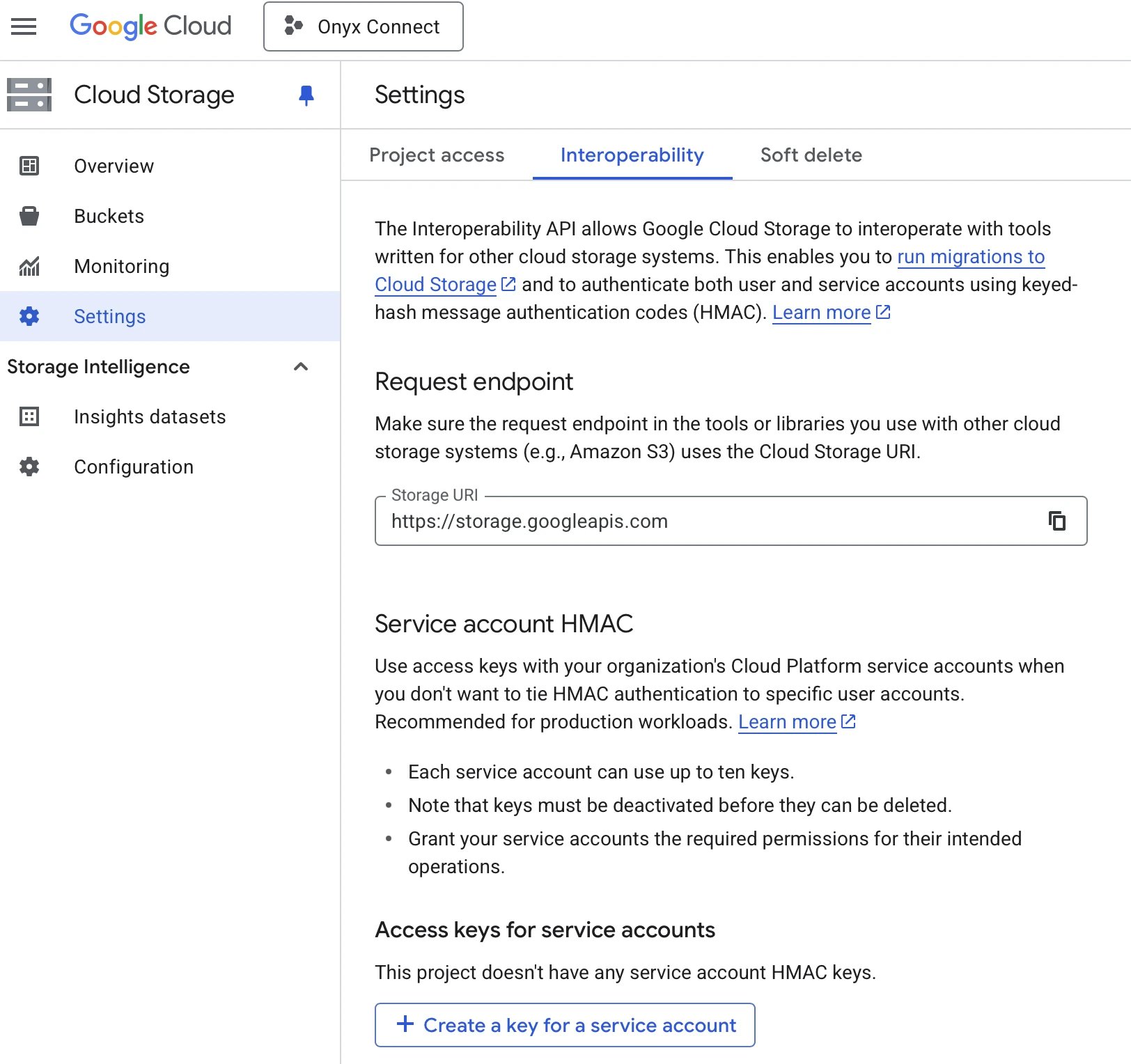
2
Create service account key
Click “Create a key for a service account”.
Click “Create new account” (or select an existing account and click Create key).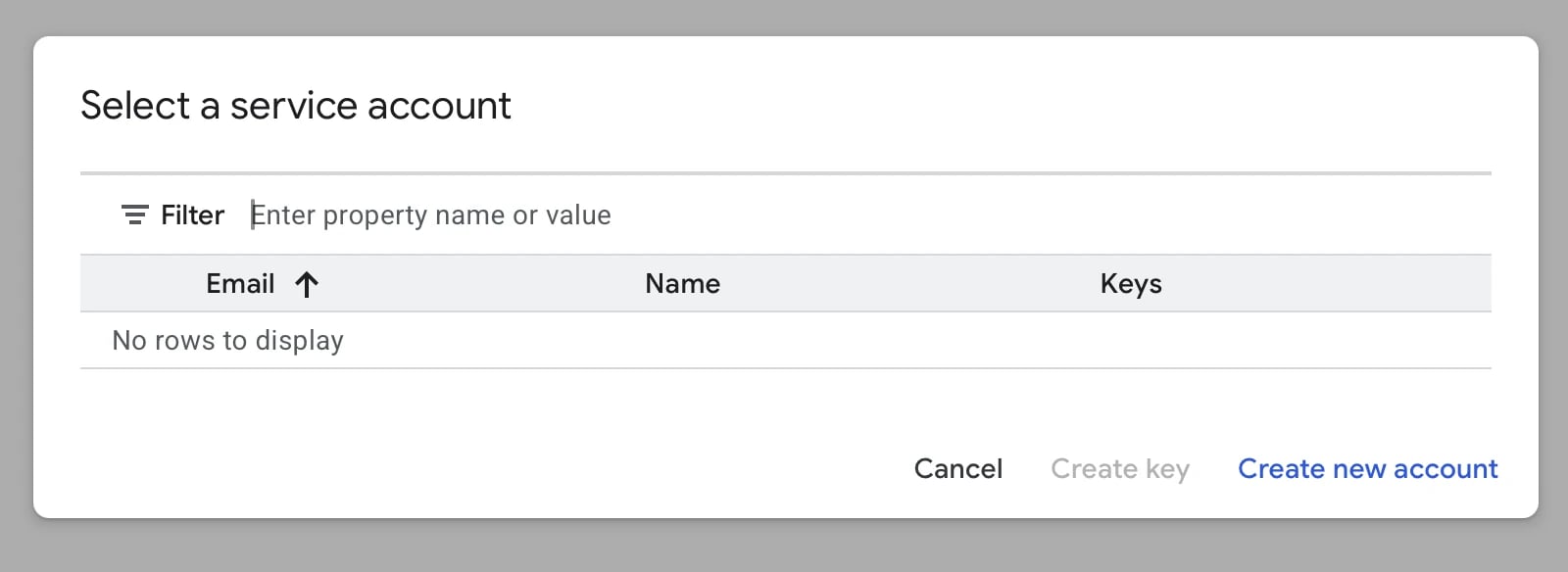
3
Set service account details
Set a name for the new service account (e.g., “onyx-gcs-connector”) and click “Create and continue”.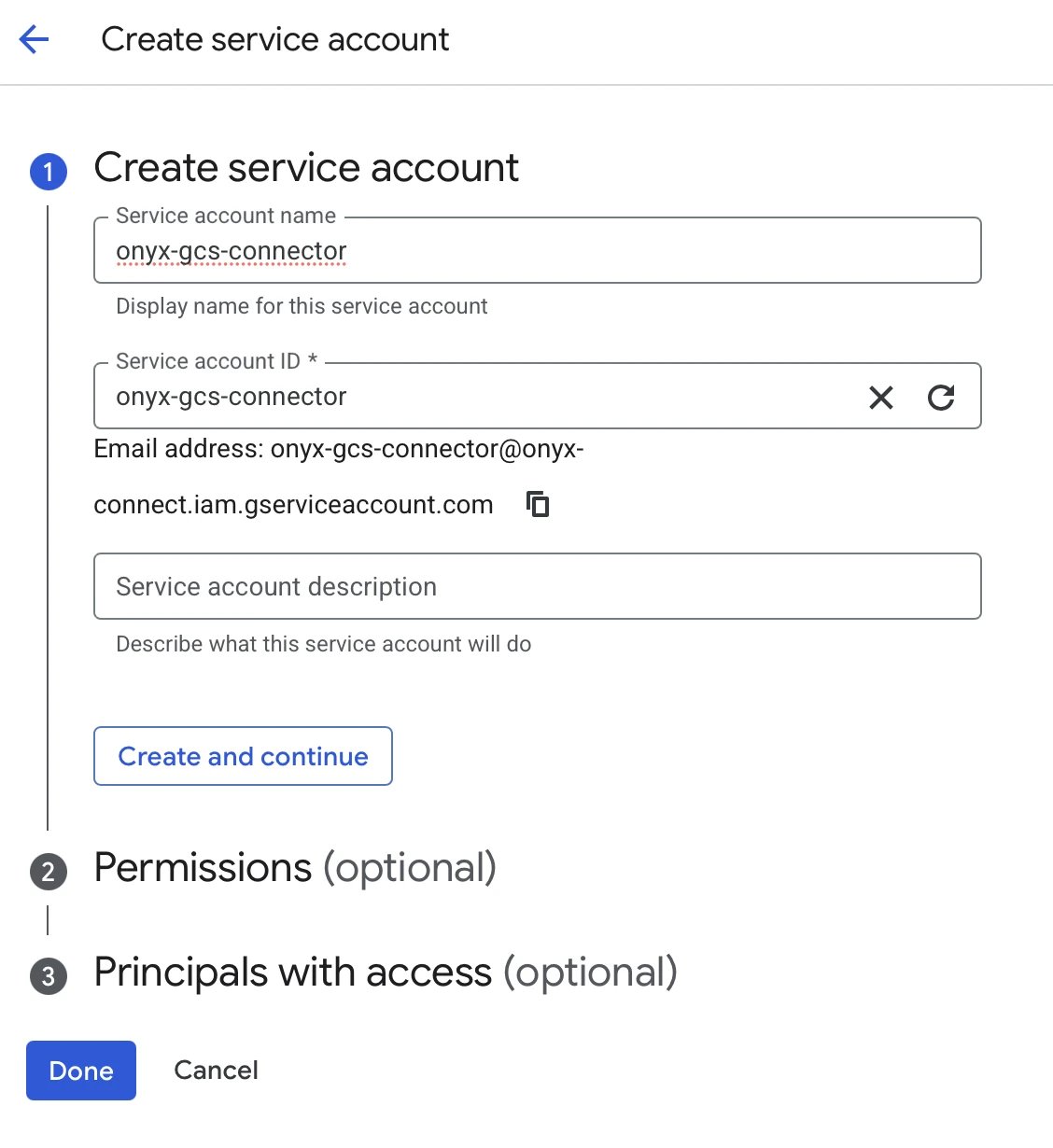
4
Assign role and finish
Click “Select a role” and select Storage Object Viewer or another, more permissive role. Click “Done”.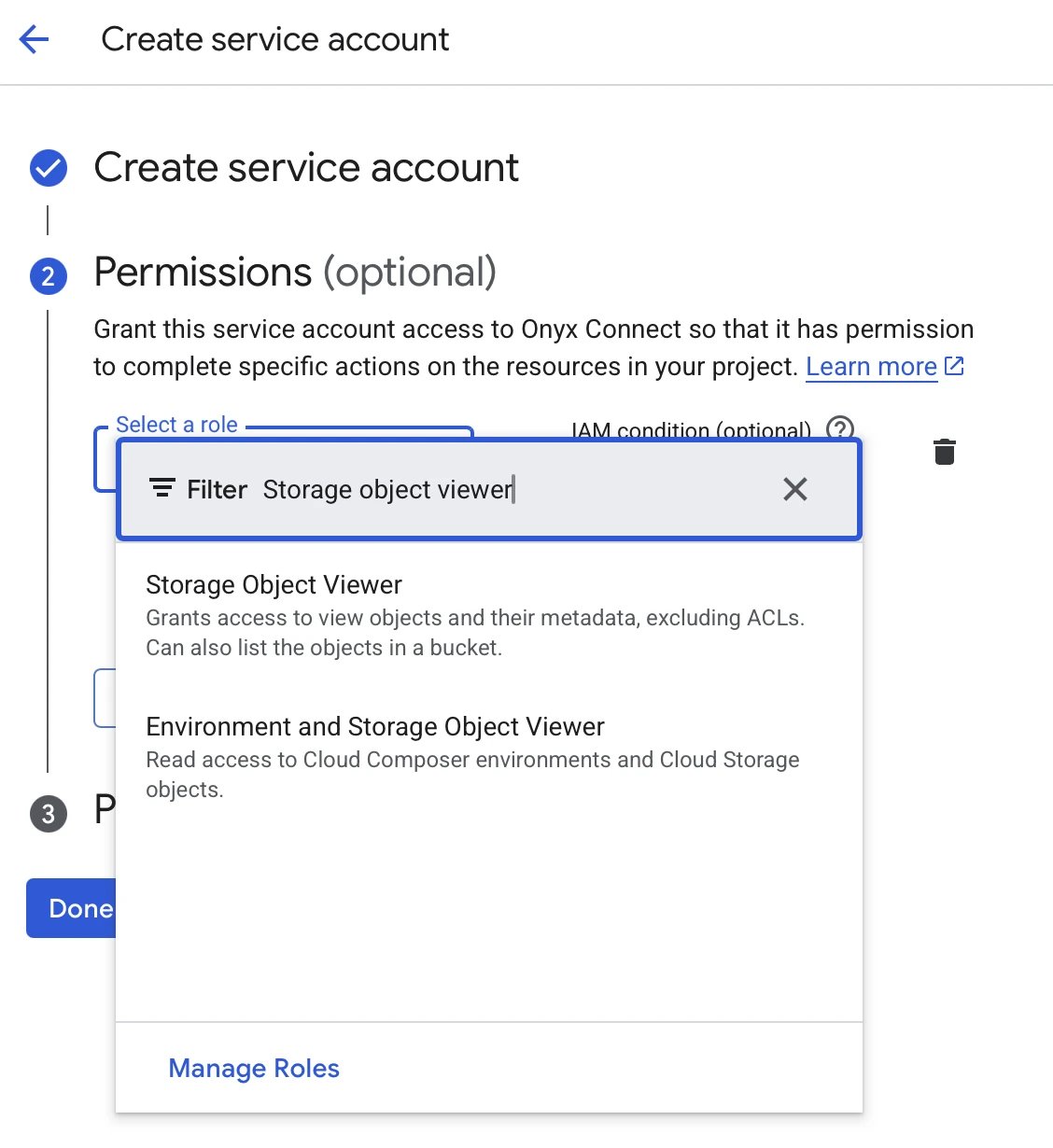
5
Record HMAC keys
Back on the Interoperability page you should see the new credentials. Record both 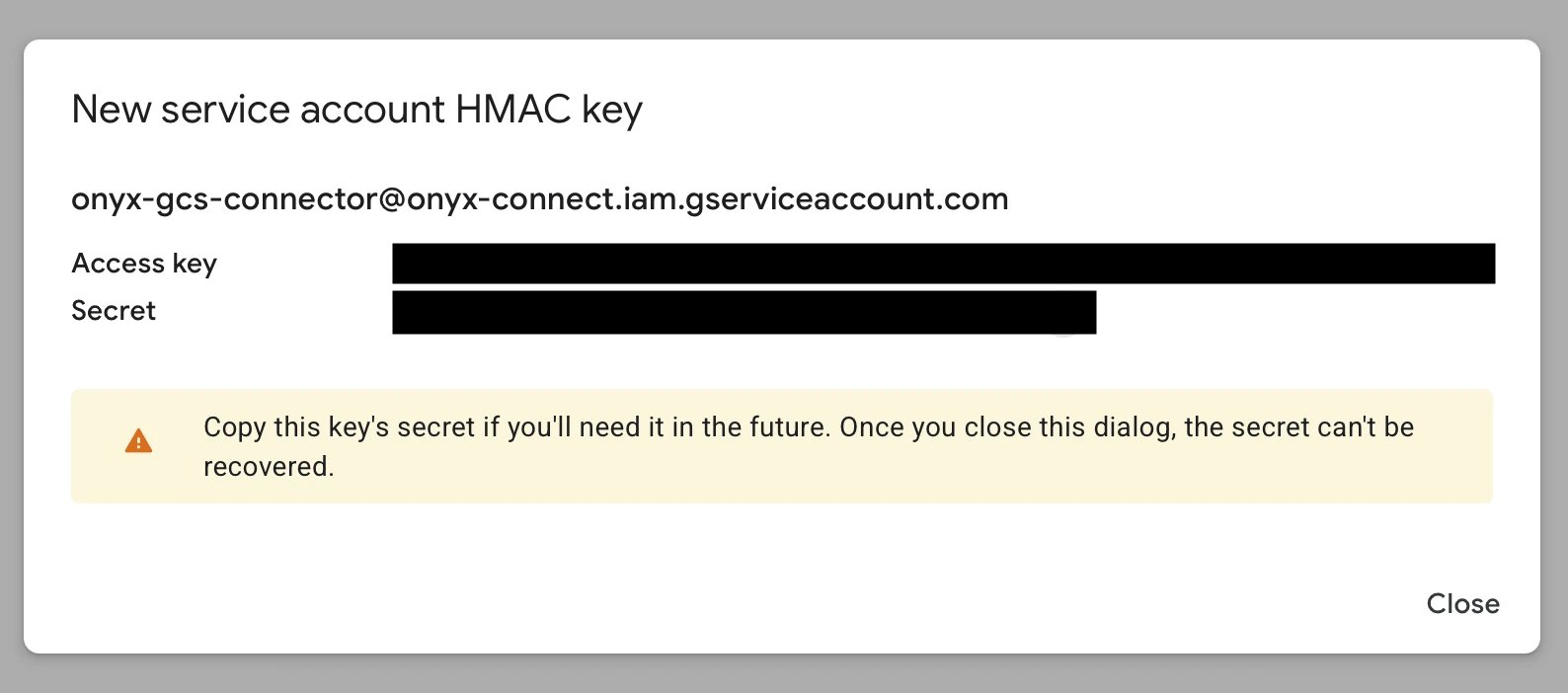
Access key and Secret.Indexing
1
Create a credential
Go to Admin Panel → Connectors and select Google Cloud Storage. Select New GCS Account.
Paste the HMAC access key into GCS Access Key ID and the secret into GCS Secret Access Key.
Save the credential.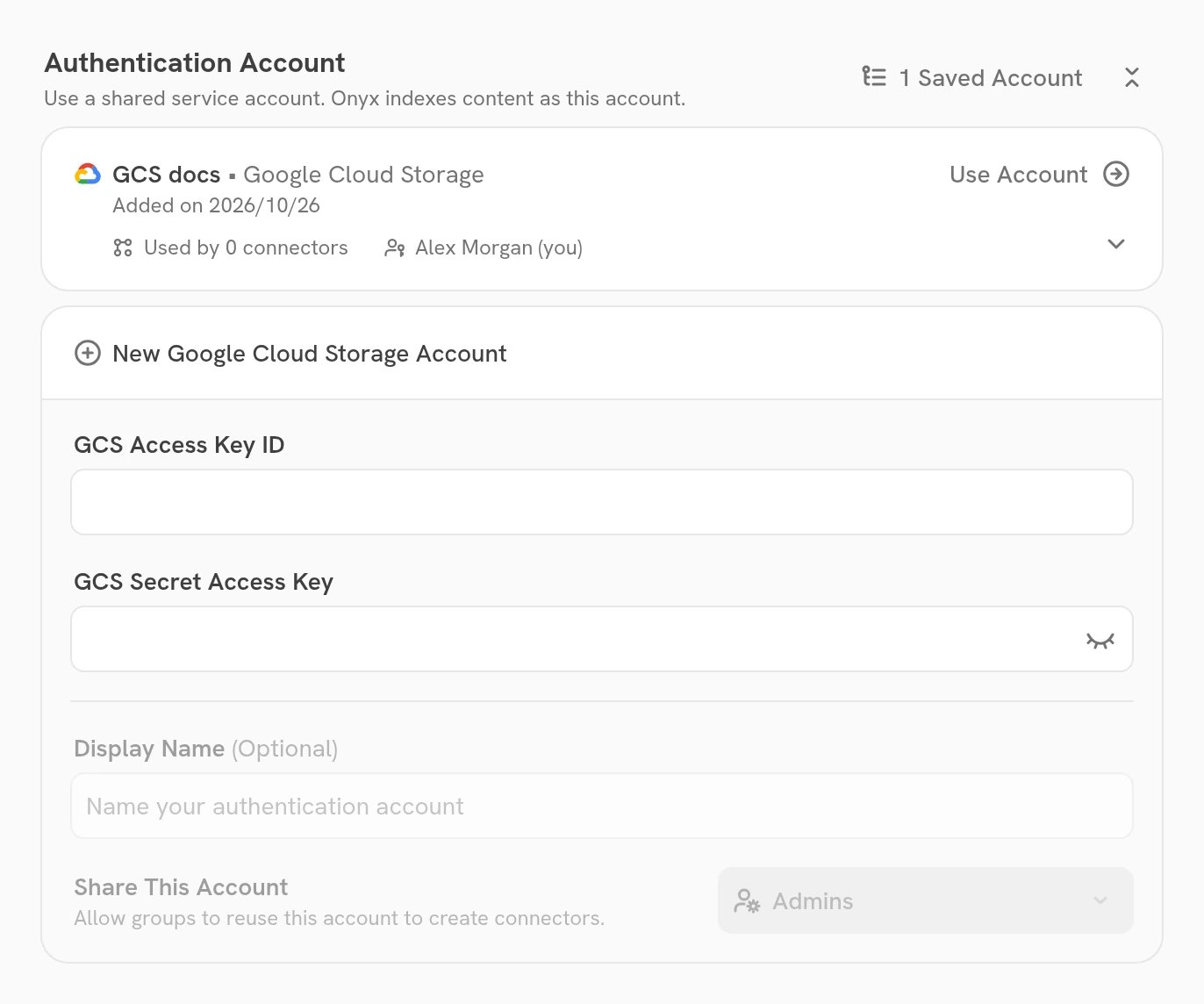
2
Configure and create the connector
Enter the Bucket Name. To index only part of the bucket, enter a folder path in Path Prefix,
for example 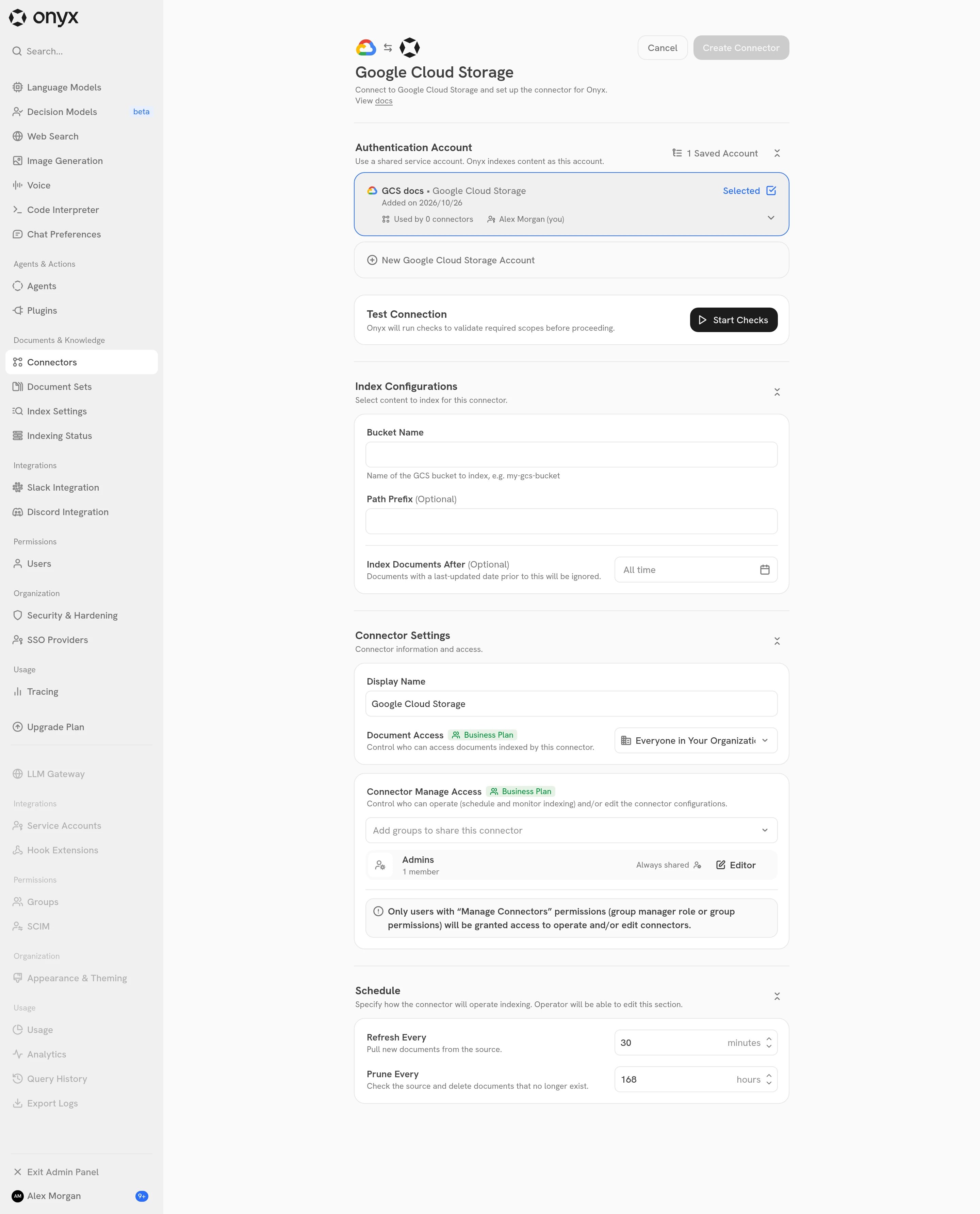
docs/2024/. Leave Path Prefix empty to index the whole bucket.Under Document Access, select Everyone in Your Organization or Specific Groups.
Specific Groups needs the Business or Enterprise tier on Onyx Cloud, or the Enterprise Edition when self-hosted.Select Create Connector to start indexing.