

Supported authentication
Onyx uses a Confluence personal access token (PAT) as a bearer token. Confluence Data Center and Server added PATs in version 7.9. Older releases cannot use the current Onyx authentication path. Use a dedicated Confluence account. Grant it view access to every space and restricted page that you want to index. A PAT has the same Confluence access as its owner.Create the personal access token
1
Open personal access tokens
Sign in as the connector account. Select the user avatar, select Settings,
then select Personal access tokens.
2
Create the token
Select Create token, name it, and set an expiration date if your policy requires one. Select Create,
then copy the token. Confluence shows the value once.See Atlassian’s Data Center PAT
instructions.
Configure the connector
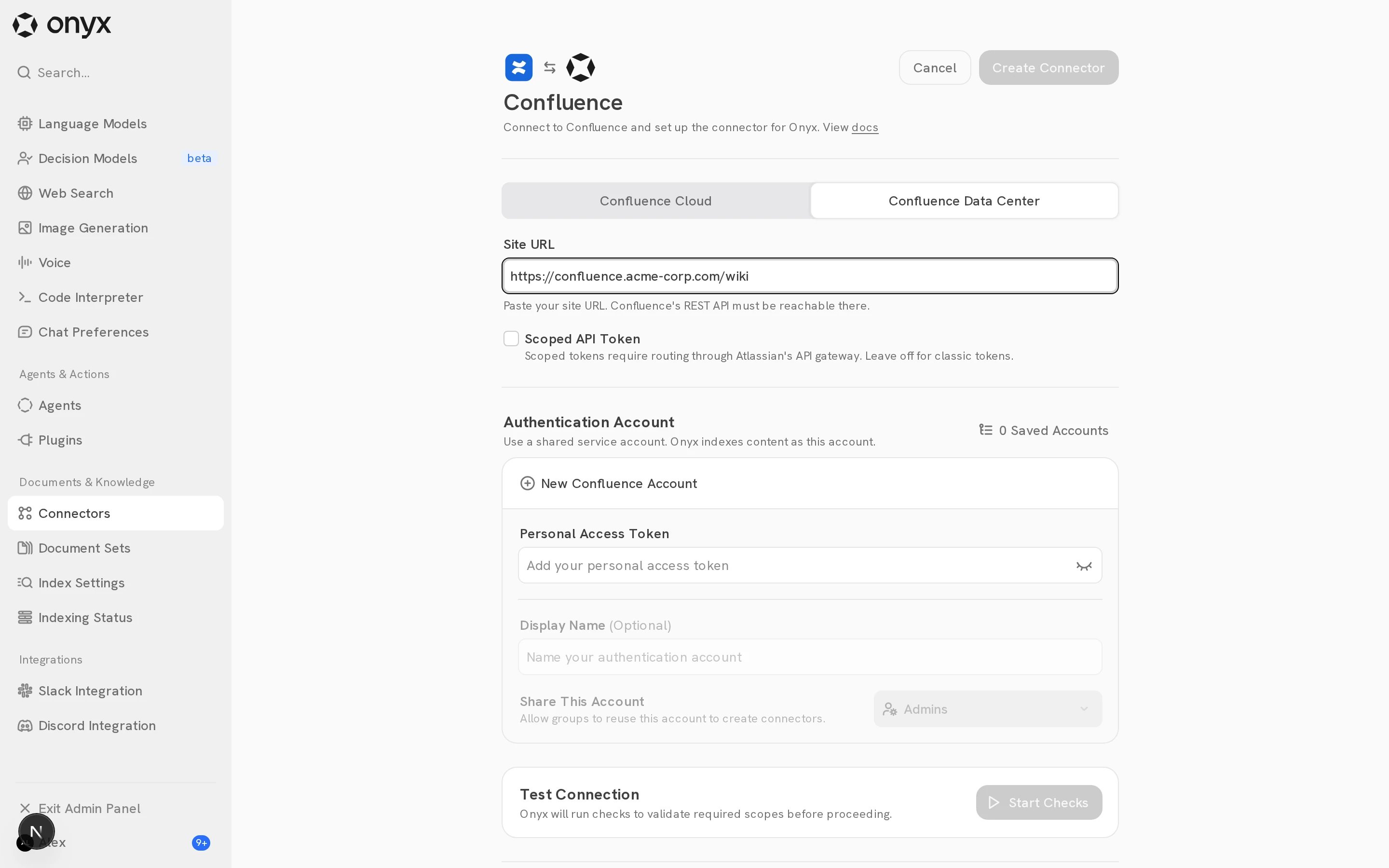
Open Admin Panel → Connectors and select Confluence. Under Index Configurations:- Select Confluence Data Center. Do this first: the account form then asks for a personal access token only.
- Set Site URL to the user-facing site root, such as
https://confluence.example.com. - Include a configured context path, such as
https://example.com/confluence. - Do not add
/rest/api. - Leave Scoped API Token off.
- Choose the indexing scope and attachment setting described in the Confluence overview.
Add the account to Onyx
Under Authentication Account, select New Confluence Account and enter:- Personal Access Token: The PAT. Onyx sends it as a bearer token.
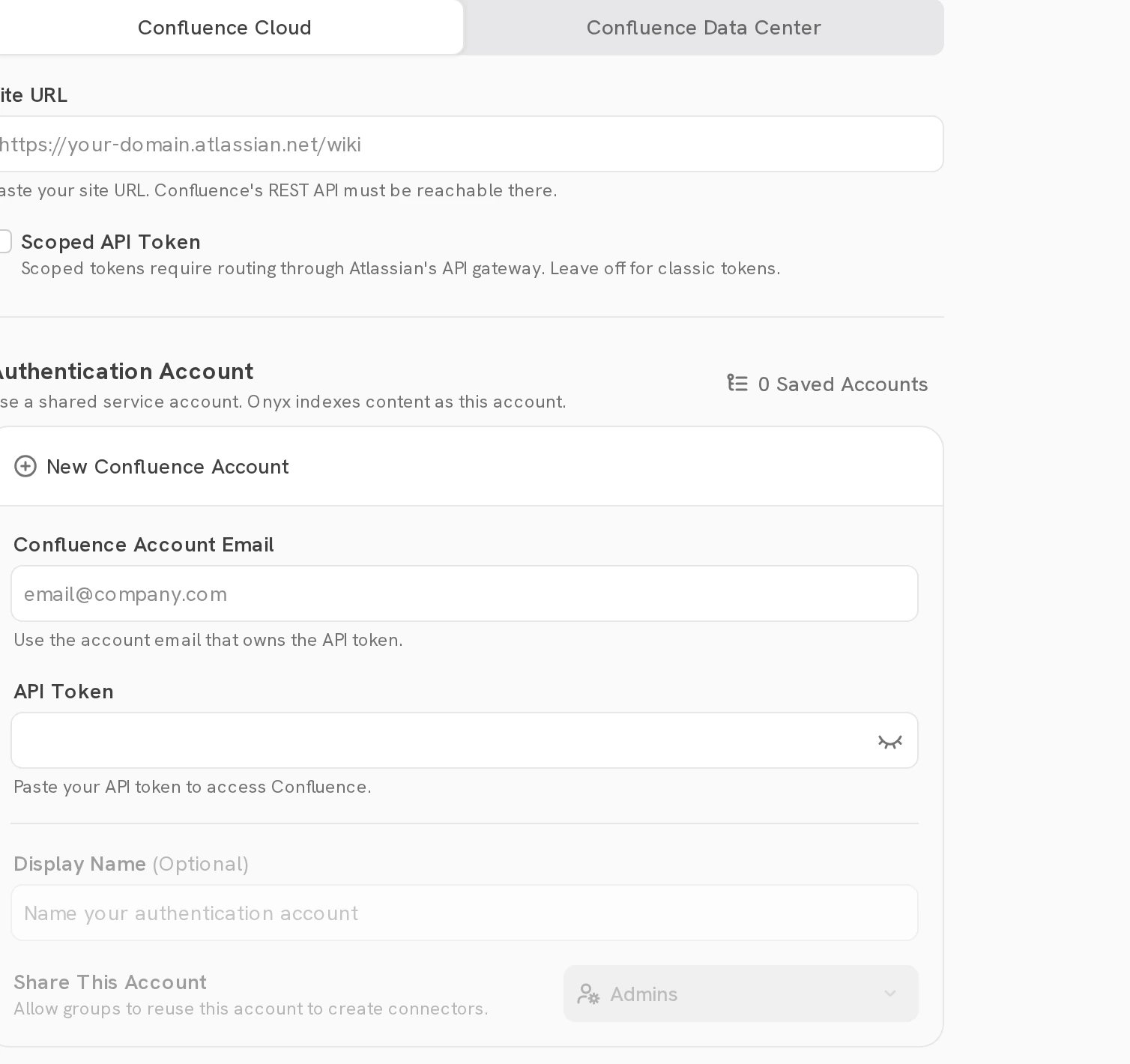
An account saved for Confluence Data Center holds a PAT only.
An account saved for Confluence Cloud holds an email and API token, and cannot be reused for a Data Center connector.
Configure permission sync
Sync with Confluence requires Onyx Enterprise Edition. Onyx reads space permissions, page restrictions, inherited ancestor restrictions, users, groups, and group membership. It maps Confluence users to Onyx users by email.Data Center 9.1 and later
Onyx uses the REST space-permissions API introduced in Data Center 9.1. Grant the connector account one of these roles:- Confluence administrator for the site.
- Space administrator for every indexed space.
500 instead of 403 when the account lacks this access.
Grant the required admin role and run the connection checks again.
If your release provides the Browse All Group Members global permission,
grant it to the connector account or one of its groups.
Onyx must read group membership to enforce group-based space and page access.
Data Center or Server 7.9 through 9.0
These releases do not have the REST space-permissions API. Onyx falls back to the legacy JSON-RPC API. Use a Confluence administrator account, or make the connector account a space administrator for every indexed space. The remote API setting in the first step requires a System Administrator.1
Enable the remote API
In Confluence, open Administration > General Configuration > Further Configuration, select Edit,
enable Remote API (XML-RPC & SOAP), and save. This setting needs System Administrator access.See Atlassian’s remote API instructions.
2
Check Secure Administrator Sessions
Secure Administrator Sessions, also called WebSudo, can intercept legacy JSON-RPC calls on Confluence 7.7 and later.
If permission sync receives an HTML login response instead of JSON,
upgrade to Data Center 9.1 or later when possible. If you cannot upgrade,
ask your Confluence security administrator to assess whether to disable Secure Administrator Sessions under
General Configuration > Security Configuration. Disabling it reduces protection for all site administrators.
Check user and group mapping
- Make user email addresses visible to the connector account.
- Confirm that each Confluence email matches the user’s Onyx email.
- Test users from internal and external user directories.
- Test direct user grants, group grants, page restrictions, and inherited restrictions.
Anonymous access
By default, Onyx does not treat anonymous Data Center content as public to every Onyx user. It limits that content to users found in Confluence. SetCONFLUENCE_ANONYMOUS_ACCESS_IS_PUBLIC=true only when your organization wants anonymous Confluence content to be
public in Onyx as well.